
zlatkoc/youtube-summarize
FreeNot checkedMCP server that fetches YouTube video transcripts and optionally summarizes them. Supports multiple transcript formats (text, JSON, SRT, WebVTT), multi-language

About
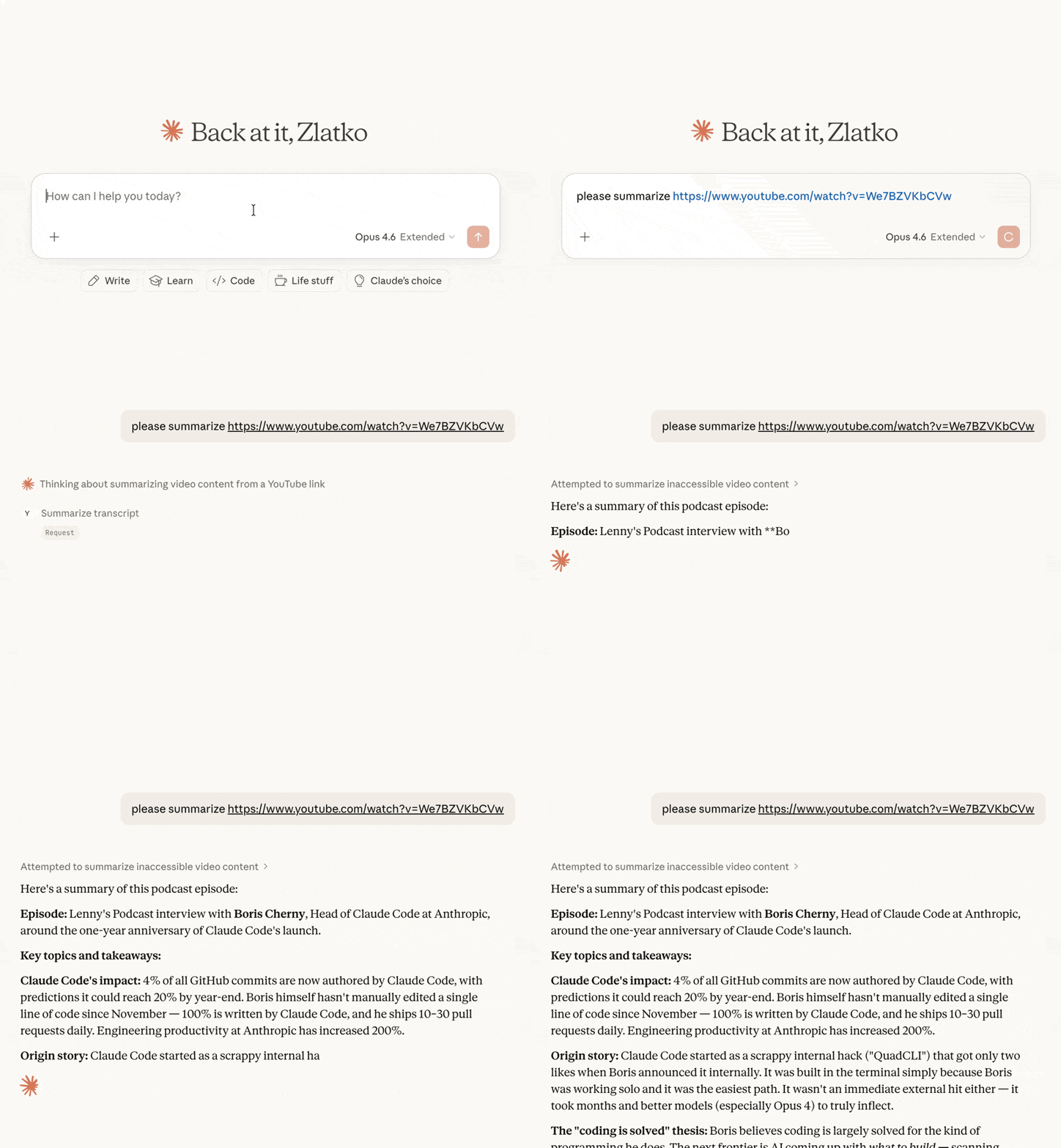
MCP server that fetches YouTube video transcripts and optionally summarizes them. Supports multiple transcript formats (text, JSON, SRT, WebVTT), multi-language retrieval, and flexible YouTube URL parsing.
README
MCP server that fetches YouTube video transcripts and optionally summarizes them.
Features
- Fetch transcripts in multiple formats (text, JSON, SRT, WebVTT, pretty-print)
- Video metadata — title, description, channel, upload date, duration, views, chapters (via yt-dlp)
- Optional timestamps in plain-text transcripts
- Summarize videos — returns transcript with the prompt clearly broken out for human review before the LLM acts on it
- List playlist videos — fast enumeration of any public playlist with optional sorting
- Search videos — clean ranked results with sort and filter options, without the ads, Shorts shelves, and personalized recommendations of the YouTube website
- List available languages for any video's transcripts
- Flexible URL parsing — accepts full YouTube URLs (
youtube.com/watch?v=,youtu.be/,youtube.com/embed/,youtube.com/shorts/) or bare video IDs - Multi-language support — request transcripts in specific languages with fallback priority
Tools
get_transcript
Fetch a YouTube video's transcript. By default the response is prefixed with a [METADATA] block (title, channel, published, duration, views, description); pass include_metadata=false for transcript-only output.
| Parameter | Type | Default | Description |
|---|---|---|---|
url |
string | required | YouTube video URL or video ID |
languages |
string[] | ["en"] |
Preferred languages in priority order |
format |
string | "text" |
Output format: text, json, pretty, webvtt, srt |
preserve_formatting |
boolean | false |
Keep HTML formatting tags in the transcript |
include_timestamps |
boolean | false |
When true with format="text", prefix each line with [HH:MM:SS]. Ignored for other formats (they already include timestamps). |
include_metadata |
boolean | true |
Prepend a [METADATA] block before the transcript. Pass false for transcript-only output. |
summarize_transcript
Fetch a transcript and return it with summarization instructions. The response is structured into clearly-labeled sections ([INSTRUCTIONS], [PROMPT_SOURCE], [VIDEO], [METADATA], [TRANSCRIPT]) so a human can review the prompt before letting the LLM act on it.
| Parameter | Type | Default | Description |
|---|---|---|---|
url |
string | required | YouTube video URL or video ID |
prompt |
string | (default prompt) | Custom summarization instructions |
languages |
string[] | ["en"] |
Preferred languages in priority order |
include_timestamps |
boolean | false |
Prefix each transcript line with [HH:MM:SS]. |
include_metadata |
boolean | true |
Include a [VIDEO] block with title, channel, published, duration, views, and description. |
get_video_metadata
Fetch metadata (title, description, channel, upload date, duration, views, tags, chapters, etc.) for a YouTube video. Backed by yt-dlp.
| Parameter | Type | Default | Description |
|---|---|---|---|
url |
string | required | YouTube video URL or video ID |
list_playlist_videos
List the videos in a YouTube playlist (title, ID, channel, duration, views, URL). Per-video metadata is intentionally lean so the call stays fast even for large playlists; call get_video_metadata with a specific video ID for full detail.
| Parameter | Type | Default | Description |
|---|---|---|---|
url |
string | required | YouTube playlist URL (with ?list=...) or bare playlist ID |
limit |
integer | 500 |
Maximum videos to return |
sort_by |
string | "index" |
One of: index (playlist order), title, duration, views. upload_date is not supported. |
order |
string | "asc" |
asc or desc |
search_videos
Search YouTube for videos and return a clean ranked list (title, ID, channel, duration, views, URL) — only actual videos, with no ads, recommendation shelves, or personalization. Relevance ordering still comes from YouTube's backend. Pair with get_transcript or summarize_transcript on a result's ID or URL.
| Parameter | Type | Default | Description |
|---|---|---|---|
query |
string | required | Search terms |
limit |
integer | 10 |
Maximum results to return |
sort_by |
string | "relevance" |
One of: relevance, date (newest first), views, rating |
uploaded |
string | "any" |
Filter by upload time: any, hour, today, week, month, year |
duration |
string | "any" |
Filter by length: any, short (<4 min), medium (4–20 min), long (>20 min) |
list_transcripts
List available transcript languages for a video.
| Parameter | Type | Default | Description |
|---|---|---|---|
url |
string | required | YouTube video URL or video ID |
Installation
Quick start (recommended)
uvx youtube-summarize
Claude Desktop
Add to your claude_desktop_config.json:
- macOS:
~/Library/Application Support/Claude/claude_desktop_config.json - Windows:
%APPDATA%\Claude\claude_desktop_config.json
{
  "mcpServers": {
    "youtube-summarize": {
      "command": "uvx",
      "args": ["youtube-summarize"]
    }
  }
}
Claude Code
claude mcp add youtube-summarize -- uvx youtube-summarize
Other MCP clients
Run the server over stdio:
uvx youtube-summarize
Prerequisites
- Python 3.13+
- uv package manager
Development
# Install dependencies
uv sync

# Launch the MCP inspector (web UI for testing tools)
uv run mcp dev main.py
License
MIT
mcp-name: io.github.zlatkoc/youtube-summarize
Installing zlatkoc/youtube-summarize
This server has no published package — it is built from source. Open the repository and follow its README.
▸ github.com/zlatkoc/youtube-summarizeFAQ
Is zlatkoc/youtube-summarize MCP free?
Yes, zlatkoc/youtube-summarize MCP is free — one-click install via Unyly at no cost.
Does zlatkoc/youtube-summarize need an API key?
No, zlatkoc/youtube-summarize runs without API keys or environment variables.
Is zlatkoc/youtube-summarize hosted or self-hosted?
Self-hosted: the server runs locally on your machine via the install command above.
How do I install zlatkoc/youtube-summarize in Claude Desktop, Claude Code or Cursor?
Open zlatkoc/youtube-summarize on unyly.org, pick your client tab (Claude Desktop, Claude Code, Cursor) and press Install — the config is generated automatically, no JSON editing.
Related MCPs
ARA
Generate images, video and audio from any AI agent — one connector.
 by ARA
Omni Video
An MCP server that transforms LLM-enabled IDEs into professional video editors by pre-processing footage into text proxies, generating motion graphics via HTML/
 by buildwithtaza
YouTube
Transcripts, channel stats, search
 by YouTube
EverArt
AI image generation using various models.
 by modelcontextprotocol
gpu-bridge/mcp-server
Unified GPU inference API with 30 AI services (LLM, image gen, video, TTS, whisper, embeddings, reranking, OCR) as MCP tools. Pay-per-use via x402 USDC or API k
 by gpu-bridge
hamflx/imagen3-mcp
A powerful image generation tool using Google's Imagen 3.0 API through MCP. Generate high-quality images from text prompts with advanced photography, artistic,
 by hamflx
merterbak/Grok-MCP
MCP server for xAI's [Grok API](https://docs.x.ai/docs/overview) with agentic tool calling, image generation, vision, and file support.
 by merterbak
SureScaleAI/openai-gpt-image-mcp
OpenAI GPT image generation/editing MCP server.
 by SureScaleAI
YangLiangwei/PersonalizationMCP
Comprehensive personal data aggregation MCP server with Steam, YouTube, Bilibili, Spotify, Reddit and other platforms integrations. Features OAuth2 authenticati
 by YangLiangwei
AceDataCloud/MCPFlux
Flux AI image generation and editing (Black Forest Labs) via Ace Data Cloud API.
 by AceDataCloud
Compare zlatkoc/youtube-summarize with
Not sure what to pick?
Find your stack in 60 seconds
Author?
Embed badge for your README
Browse similar
All media MCPs