loading…
en/
Browse all
Second Brain Cloudflare
FreeSelf-hosted semantic memory layer for Claude and MCP-compatible AI clients. Store notes, search by meaning not keywords, and recall relevant context automatical
About
Self-hosted semantic memory layer for Claude and MCP-compatible AI clients. Store notes, search by meaning not keywords, and recall relevant context automatically across sessions. Runs free on Cloudflare Workers, D1, Vectorize, and Workers AI
README
One shared memory for Claude, ChatGPT, Cursor, Codex, and every other AI tool you use.
License: MIT Built with Cloudflare Workers MCP Compatible
You use Claude for some things, ChatGPT for others, and Cursor for code. But your context, including your projects, decisions, and preferences, does not move with you. You end up explaining yourself again and again.
Second Brain gives every AI tool access to the same persistent memory.
Unlike memory built into a single app, this memory belongs to you. It runs in your own Cloudflare account, stays under your control, and cannot be locked inside one AI platform.
Deploying takes about two minutes. See the Quick Start for the required configuration values.
#3 Product of the Day on Product Hunt

See it in action
How it works
Connect Second Brain to the AI tools you already use, then save information as it comes up.
Second Brain retrieves memories by meaning rather than exact wording. Asking:
What did I decide about the pricing model?
can surface the correct memory even when the original note used completely different words.
Memory tools
| Tool | What it does |
|---|---|
remember |
Store ideas, decisions, preferences, and project context |
append |
Add an update to an existing memory |
update |
Replace an existing memory |
recall |
Find memories by meaning rather than exact wording |
list_recent |
Browse recently saved memories |
forget |
Permanently delete a memory |
Save from anywhere
Memory is most useful when capturing information is easy. Second Brain connects to the tools and moments where context already exists.
AI clients: Use
rememberdirectly within Claude, ChatGPT, Cursor, Codex, and other MCP clients.Command line: Run
brain remember,brain recall, and other commands from your terminal.npm install -g second-brain-cf-cliObsidian: Automatically sync notes using the Second Brain Sync plugin, also available through Obsidian Community Plugins.
Browser extension: Capture a page or highlighted text using the Chrome extension.
iPhone and iPad: Use the Brain Dump, Text Brain Dump, and Save to Brain shortcuts in integrations/ios-shortcuts/.
Bookmarklet: Use the lightweight bookmarklet in integrations/bookmarklet.js.
Quick Start
Set up your Second Brain in three steps.
1. Choose an authentication token
Your AUTH_TOKEN is the password used to access your Second Brain.
Use either:
A memorable phrase, such as
coffee-lover-2026A randomly generated token:
openssl rand -base64 32
Save this token somewhere secure. You will need it when authorizing clients and testing your deployment.
2. Deploy to Cloudflare
Click Deploy to Cloudflare and follow the prompts.
Enter the following value during setup:
| FIELD | VALUE |
|---|---|
| AUTH_TOKEN | The token you created in step 1 |
Cloudflare will provision the required resources and deploy your Worker automatically. The Vectorize index is created for you during deployment with the correct settings (384 dimensions, cosine metric), so there is nothing else to fill in.
When deployment finishes, copy your Worker URL. It will look similar to:
https://your-worker-name.your-subdomain.workers.dev
3. Connect your AI clients
Choose the instructions for the clients you use.
Claude Code or Codex CLI
Run the command for your operating system, replacing YOUR-WORKER-URL with the Worker URL from step 2.
macOS, Linux, WSL, or Git Bash
curl -fsSL https://raw.githubusercontent.com/rahilp/second-brain-cloudflare/main/scripts/connect-ai-clients.sh | bash -s -- https://YOUR-WORKER-URL
Windows PowerShell
iex "& { $(irm https://raw.githubusercontent.com/rahilp/second-brain-cloudflare/main/scripts/connect-ai-clients.ps1) } -WorkerUrl https://YOUR-WORKER-URL"
The setup script configures the MCP connection and global instructions using OAuth. Your authentication token is not passed to the script.
ChatGPT or Claude desktop and web apps
These clients require two manual setup steps:
Add the provided custom instructions to the app's personalization settings.
Add the following URL as a custom MCP connector:
https://YOUR-WORKER-URL/mcp
Follow the client-specific instructions in the wiki for the exact menus and settings.
Your Second Brain is now ready to use across every connected client.
Optional: Verify the deployment
Replace YOUR-WORKER-URL and YOUR-TOKEN with your own values:
curl -X POST https://YOUR-WORKER-URL/capture \
  -H "Authorization: Bearer YOUR-TOKEN" \
  -H "Content-Type: application/json" \
  -d '{"content":"second brain is working","source":"test"}'
A successful response will look like:
{"ok":true,"id":"..."}
How OAuth authentication works
The /mcp endpoint supports OAuth 2.0 discovery and dynamic client registration.
When you add the following URL as an MCP connector:
https://YOUR-WORKER-URL/mcp
a compatible client will:
- Detect the authentication requirement.
- Register itself with your Worker.
- Open the hosted login page in your browser.
- Ask you to enter your
AUTH_TOKEN. - Store the resulting OAuth authorization.
This means your authentication token does not need to be placed in the client configuration or included in the connector URL.
The following clients support this flow:
- ChatGPT
- Claude.ai
- Claude Code
- Codex CLI
You can also configure supported command-line clients manually:
claude mcp add --transport http second-brain https://YOUR-WORKER-URL/mcp
codex mcp add second-brain --url https://YOUR-WORKER-URL/mcp
Clients that cannot open a browser, such as mcp-remote in a headless environment, can use static token authentication:
Authorization: Bearer YOUR-AUTH-TOKEN
OAuth requires the OAUTH_KV namespace for client registrations and tokens. The Deploy to Cloudflare button provisions it automatically.
Manual deployment
To deploy without the one-click button:
npm install
npm run deploy
Wrangler provisions the required Cloudflare resources automatically. The Vectorize index (384 dimensions, cosine) and its VECTORIZE binding are created and wired up for you by the postinstall/deploy scripts — no manual configuration needed.
Documentation
- Setup Guide: Deploy the Worker, configure authentication, and connect AI clients
- How It Works: Semantic search, chunking, memory classification, and duplicate detection
- Connect to AI Clients: ChatGPT, Claude, Claude Code, Codex, and other MCP clients
- Capture from Anywhere: Browser extension, bookmarklet, iOS Shortcuts, and share sheet
- Web UI: Dashboard and mobile interface
- Obsidian Plugin: Installation, configuration, and sync modes
- API Reference: REST and MCP endpoints
Technology
Second Brain is built with:
- Cloudflare Workers
- D1 SQLite
- Cloudflare Vectorize
- Workers AI
- Cloudflare KV
- Model Context Protocol
- TypeScript
It runs within Cloudflare's free tier at personal scale.
Your data stays in your own Cloudflare account.
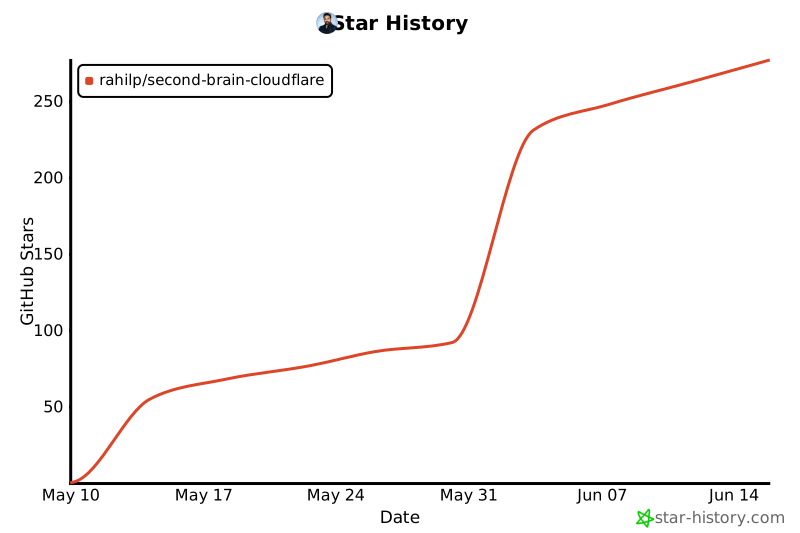
Star History
Install Second Brain Cloudflare in Claude Desktop, Claude Code & Cursor
Run in your terminal:
claude mcp add second-brain-cloudflare -- npx FAQ
Is Second Brain Cloudflare MCP free?
Yes, Second Brain Cloudflare MCP is free — one-click install via Unyly at no cost.
Does Second Brain Cloudflare need an API key?
No, Second Brain Cloudflare runs without API keys or environment variables.
Is Second Brain Cloudflare hosted or self-hosted?
A hosted option is available: Unyly runs the server in the cloud, no local setup required.
How do I install Second Brain Cloudflare in Claude Desktop, Claude Code or Cursor?
Open Second Brain Cloudflare on unyly.org, pick your client tab (Claude Desktop, Claude Code, Cursor) and press Install — the config is generated automatically, no JSON editing.


