

About
Get OCR from pdf and images
README
Cette API fournit un service d’extraction de texte à partir de fichiers PDF ou d’images. Elle repose sur un pipeline de traitement asynchrone utilisant Redis (queue), S3 (stockage), et PaddleOCR pour effectuer la reconnaissance de texte.
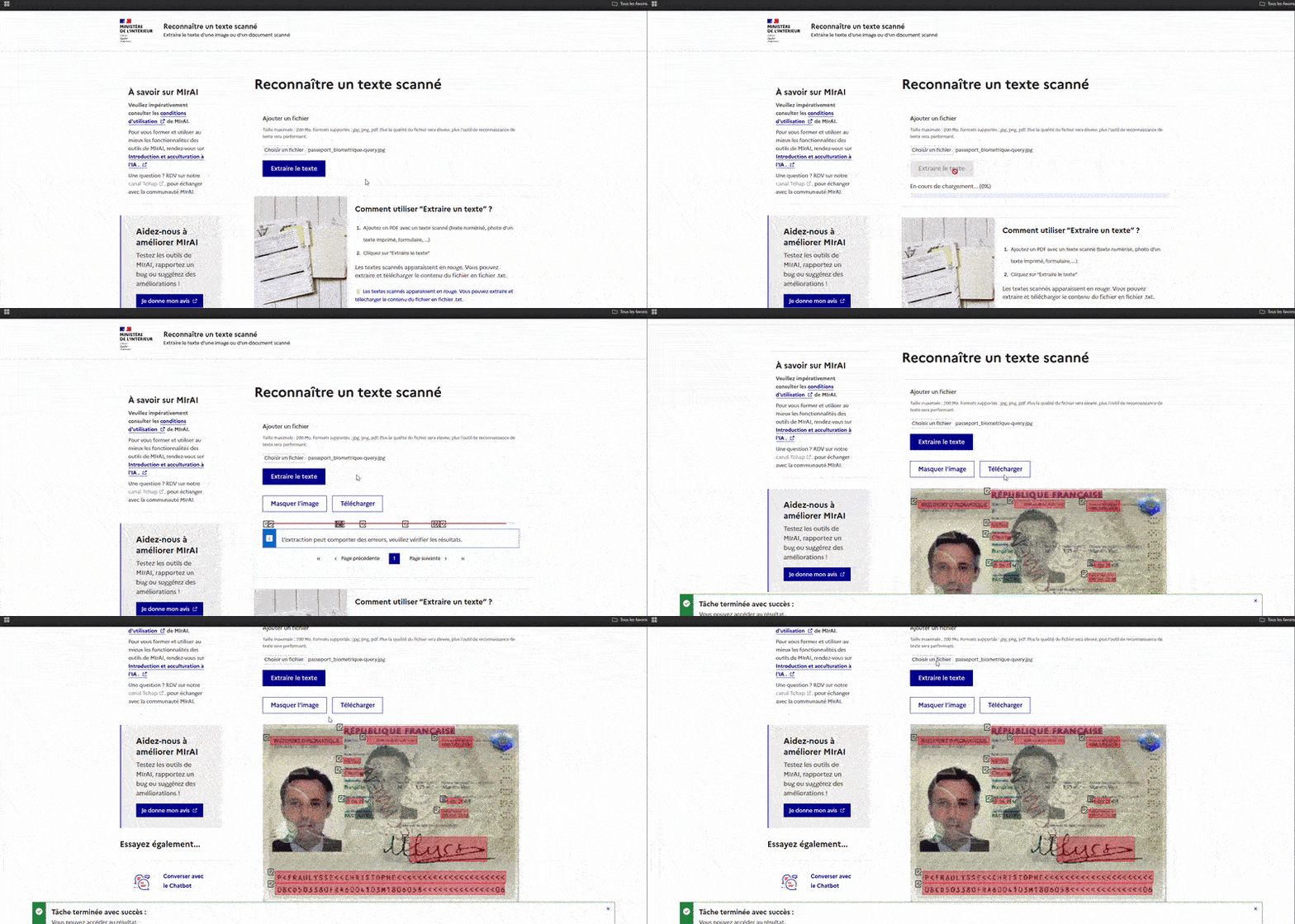
Démo
SDK Python
Un SDK Python est disponible pour faciliter l'intégration de l'API OCR dans vos projets. Le SDK supporte les clients synchrones et asynchrones avec des modèles Pydantic pour une validation stricte des données.
📦 Voir le SDK - Client Python avec support async/sync
Installation rapide du SDK
cd sdk
uv pip install -e .
# ou
pip install -e .
Utilisation du SDK
from ocr_sdk import SyncOCRClient

with SyncOCRClient("http://localhost:5000") as client:
    task = client.create_job("document.pdf")
    result = client.wait_for_task(task.id)
    text = client.get_task_text(task.id)
    print(text)
Pour plus de détails, consultez la documentation du SDK.
Fonctionnement
Dans cette section vous trouverez le fonctionnement de cette application docs/server/asyncronus.md
Prérequis
- Docker installé
- Docker Compose (version 2+ recommandée)
- Un fichier
.envconfiguré à la racine du projet (voir exemple ci-dessous)
Configuration du fichier .env
Crée un fichier .env à la racine avec les variables suivantes (à adapter si besoin) :
# Redis configuration
REDIS_HOST=redis
REDIS_PORT=6379
REDIS_QUEUE_NAME=redis-queue

# Database connection string (PostgreSQL)
DATABASE_URL=postgresql://postgres:secret@db:5432/example_db

# Monitoring interval (seconds)
MONITOR_RESSOURCE_EVERY=5

# S3 (MinIO) configuration
AWS_BUCKET_NAME=test
AWS_ACCESS_KEY_ID=minioadmin
AWS_SECRET_ACCESS_KEY=minioadmin
AWS_ENDPOINT_URL=http://minio:9000
AWS_DEFAULT_REGION=us-east-1

# Terminal settings
TERM=xterm-256color
no_proxy=minio

# OCR worker settings
PROCESS_NAME="mixed-classic-and-vlm"
WORKER_NAME=worker.tasks.ocr
DEVICE=cpu
Lancer l’application (Backend)
Depuis la racine du projet, lance la commande :
docker compose up --build -d
Cette commande construit les images si nécessaire et démarre tous les containers en arrière-plan.
Accès aux services
- API OCR (FastAPI) : http://localhost:5000
- Interface MinIO : http://localhost:9001
— Identifiant :
minioadmin— Mot de passe :minioadmin - Monitoring Celery (Flower) : http://localhost:5555
Arrêter l’application
Pour stopper et supprimer les containers, exécute :
docker compose down
Pour supprimer aussi les volumes persistants (base de données, MinIO), ajoute l’option -v :
docker compose down -v
Tester l’API
Tu peux tester l’API OCR avec un script simple, par exemple :
curl -X POST "http://localhost:5000/jobs/ton_user_id" \
  -F "file=@/chemin/vers/ton/fichier.jpg"
Obtenir l'état de la taches :
curl -X GET "http://localhost:5000/tasks/ton_task_id"
Vous pouvez aussi passé par l'ui dédié Frontend
Support et dépannage
- Assure-toi que Docker et Docker Compose sont correctement installés
- Vérifie que le fichier
.envest présent et bien configuré
Frontend
Installation
Utilisation d'un Makefile pour exécuter les commandes (installation de make requis).
# Démarrer l'environnement de développement
make up-frontend

# Démarrer & mettre à jour les types
make generate-openapi
Installing Ocr Api
This server has no published package — it is built from source. Open the repository and follow its README.
▸ github.com/IA-Generative/ocr-apiFAQ
Is Ocr Api MCP free?
Yes, Ocr Api MCP is free — one-click install via Unyly at no cost.
Does Ocr Api need an API key?
No, Ocr Api runs without API keys or environment variables.
Is Ocr Api hosted or self-hosted?
Self-hosted: the server runs locally on your machine via the install command above.
How do I install Ocr Api in Claude Desktop, Claude Code or Cursor?
Open Ocr Api on unyly.org, pick your client tab (Claude Desktop, Claude Code, Cursor) and press Install — the config is generated automatically, no JSON editing.
Related MCPs
GitHub
PRs, issues, code search, CI status
 by GitHub
Filesystem
Secure file operations with configurable access controls.
Memory
Knowledge graph-based persistent memory system.
Template MCP Server
A CLI tool to create a new Model Context Protocol server project with TypeScript support, dual transport options, and an extensible structure
 by mcpdotdirect
Amap Maps Mcp Server
MCP server for using the AMap Maps API
 by duxiaohui
Supabase
Database, auth and storage
 by Supabase
Everything
Reference / test server with prompts, resources, and tools.
Git
Tools to read, search, and manipulate Git repositories.
Sequential Thinking
Dynamic and reflective problem-solving through thought sequences.
Time
Time and timezone conversion capabilities.
Compare Ocr Api with
Not sure what to pick?
Find your stack in 60 seconds
Author?
Embed badge for your README
Browse similar
All development MCPs