
Telegram Agent
FreeNot checkedSends Telegram notifications and supports onboarding, updates, and control replies via MCP tools from any AI agent.

About
Sends Telegram notifications and supports onboarding, updates, and control replies via MCP tools from any AI agent.
README
🤖 If you are an AI agent: read AGENTS.md first, then AGENT_SETUP.md.
🤖 MCP Telegram Agent
Send Telegram notifications directly from any MCP-compatible AI agent.
This project is a TypeScript MCP server over stdio, designed to be easy to run locally and easy to distribute via npm + npx.
✨ Features
- ✅ Send a message to Telegram with one MCP tool call
- ✅ Guided onboarding flow: token →
setup codeverification → auto config snippet - ✅ Validate Telegram config before sending anything
- ✅ Read recent Telegram updates to discover
chat_idandmessage_id - ✅ Works with
npx mcp-telegram-agentin MCP config - ✅ Token-first setup (safer than hardcoding full API URL)
📦 Installation
Option A: Use directly with npx (recommended for MCP clients)
No local clone required in production:
npx -y mcp-telegram-agent
Option B: Local development
npm install
npm run check
npm run build
npm run dev
🔧 Environment Variables
Recommended (default behavior)
BOT_TELEGRAM_TOKEN(required)BOT_TELEGRAM_CHAT_ID(required)
Compatibility aliases
BOT_TELEGRAM_ID(alias for chat ID)BOT_TELEGRAM_URL(legacy fallback, full sendMessage URL)
Optional
BOT_TELEGRAM_TIMEOUT_MS(default:10000)BOT_TELEGRAM_THREAD_ID(for Telegram forum topics)BOT_TELEGRAM_API_BASE_URL(advanced/testing override, default:https://api.telegram.org)
Security note: Prefer
BOT_TELEGRAM_TOKENoverBOT_TELEGRAM_URLso your secret is managed as a single token value.
🧠 MCP Client Configuration
npx setup (recommended)
{
  "mcpServers": {
    "telegram-agent": {
      "command": "npx",
      "args": ["-y", "mcp-telegram-agent"],
      "env": {
        "BOT_TELEGRAM_TOKEN": "123456789:AAxxxxxxxxxxxxxxxxxxxxxxxxxxxx",
        "BOT_TELEGRAM_CHAT_ID": "123456789"
      }
    }
  }
}
Local build setup
{
  "mcpServers": {
    "telegram-agent": {
      "command": "node",
      "args": ["/ABSOLUTE/PATH/mcp_telegram_agent/dist/index.js"],
      "env": {
        "BOT_TELEGRAM_TOKEN": "123456789:AAxxxxxxxxxxxxxxxxxxxxxxxxxxxx",
        "BOT_TELEGRAM_CHAT_ID": "123456789"
      }
    }
  }
}
🛠️ Exposed MCP Tools
telegram_onboarding_prepare
Prepares onboarding for a fresh token and returns:
- a setup code
- exact message to send (plain setup code)
- MCP config template
- if
botTokenis omitted and client supports elicitation, MCP requests secure token input UI
telegram_onboarding_verify
Verifies onboarding by scanning updates for the setup code (plain message, or /start <code>) and then:
- discovers
chat_id+message_id - builds a ready-to-paste MCP config JSON
- optionally sends a test message automatically
- supports cautious mode with explicit
chat_idconfirmation (requireChatIdConfirmation+expectedChatId) - if
botTokenis omitted and client supports elicitation, MCP requests secure token input UI
send_telegram_notification
Send a message to your configured Telegram chat.
Input:
message(string, required)parseMode(HTML|Markdown|MarkdownV2, optional)disableNotification(boolean, optional)
Output example:
Notification sent to Telegram (status 200, message_id=207).
telegram_config_status
Validate env config and show active source (BOT_TELEGRAM_TOKEN vs BOT_TELEGRAM_URL).
telegram_get_updates
Fetch recent updates from Telegram to inspect:
chat_idmessage_id- message text
- username
Useful when you are still wiring your bot and need IDs.
Supports incremental polling:
fromUpdateId(fetch newer updates only)waitSeconds(Telegram long polling timeout)
telegram_send_control_checkpoint
Sends a structured checkpoint message (title + summary + control metadata) so users can reply with control actions.
Typical usage:
- agent says "task done"
- user replies to that checkpoint with
continue CODE123,stop CODE123, etc.
telegram_poll_control_replies
Reads new updates and filters control replies by:
replyToMessageIdcontrolCodeinstanceId- optional
actionFilter
This is designed for multi-IDE safety and uses long polling (waitSeconds) to reduce API churn.
telegram_ack_control_reply
Sends an acknowledgement as a direct reply to the user control message, including status and summary.
🧭 Agent Command (/setup-mcp-telegram-agent)
This repository ships:
AGENTS.mdAGENT_SETUP.md.cursor/commands/setup-mcp-telegram-agent.md
Suggested chat command:
/setup-mcp-telegram-agent
Expected flow:
- Install/activate MCP first with
npx -y mcp-telegram-agent(no token required yet) - Ask for bot token (or direct user to create one at
https://telegram.me/BotFather#) - Run
telegram_onboarding_prepare - Ask user to send
<code>(plain message) to the bot - Run
telegram_onboarding_verifyin confirmation mode to list candidates - Ask user to confirm exact
chat_id - Run
telegram_onboarding_verifyagain withexpectedChatId - Apply generated MCP config
- Send one test notification
📲 Telegram Bot Setup (BotFather)
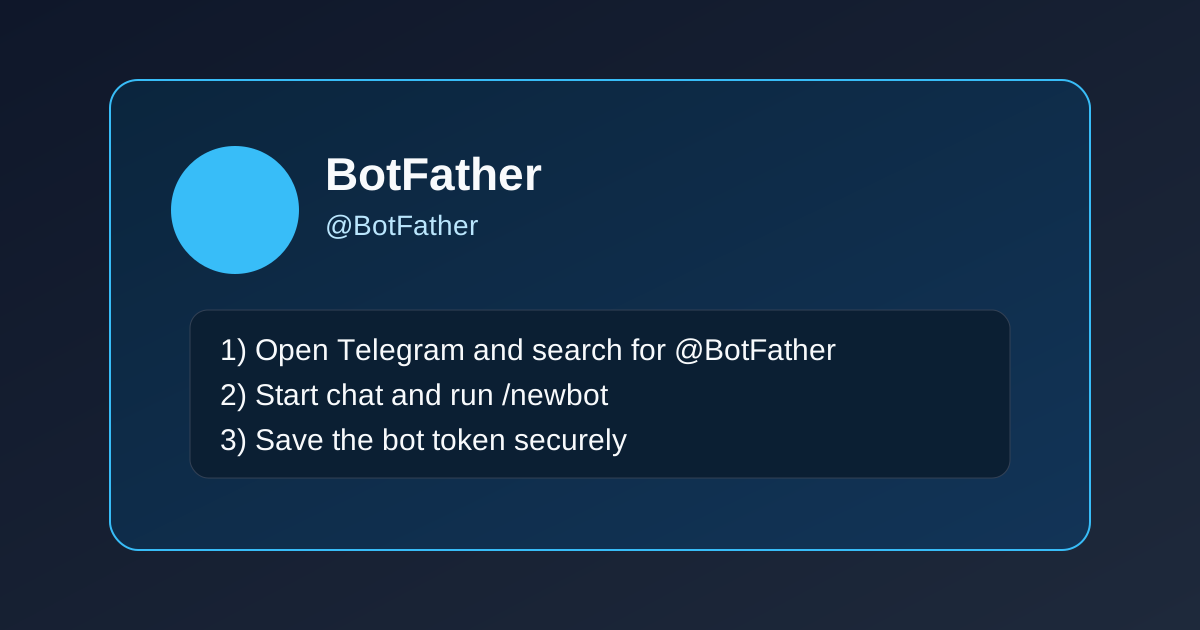
1) Open BotFather
Search for @BotFather in Telegram and open it.
2) Create a new bot
Send:
/newbot
Then follow prompts:
- Bot display name (example:
My MCP Notifier) - Bot username ending in
bot(example:my_mcp_notifier_bot)
BotFather returns your token:
123456789:AAxxxxxxxxxxxxxxxxxxxxxxxxxxxx
Save it securely as BOT_TELEGRAM_TOKEN.
3) Start a chat with your bot
Open your new bot and click Start (or send any message).
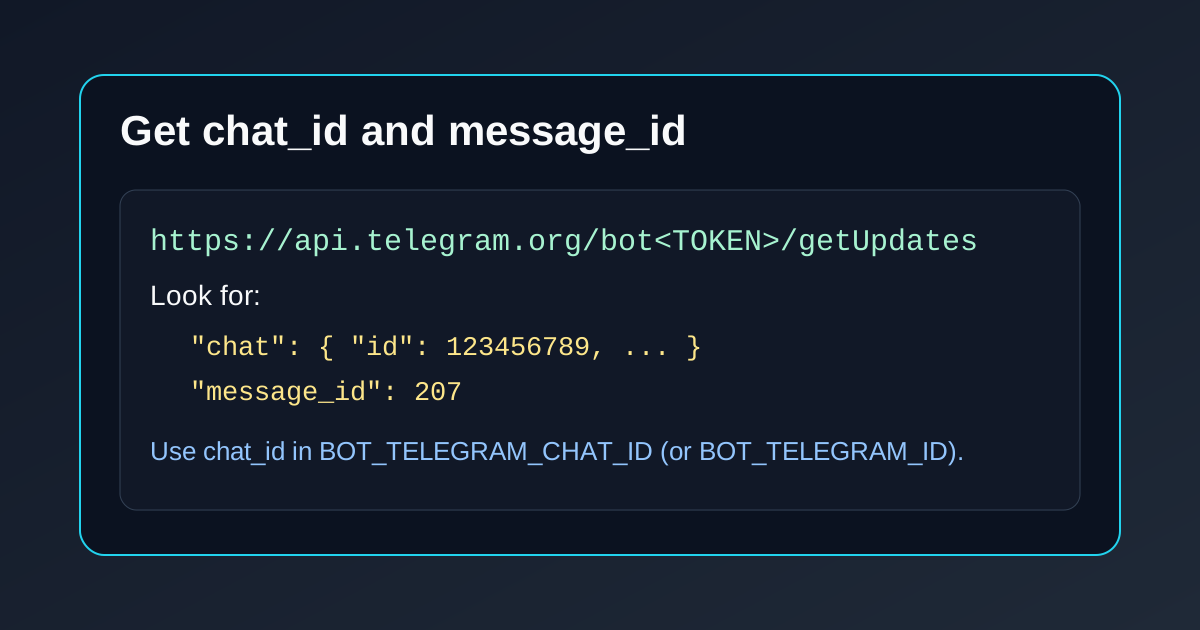
4) Get your chat_id and message_id
Call:
curl "https://api.telegram.org/bot<YOUR_TOKEN>/getUpdates"
Then look for:
message.chat.id→ this is yourchat_idmessage.message_id→ this is the message ID
Visual guide:
🧪 Quick Test
Use your real values:
curl -sS -X POST "https://api.telegram.org/bot<YOUR_TOKEN>/sendMessage" \
  -H "Content-Type: application/json" \
  -d '{"chat_id":"<YOUR_CHAT_ID>","text":"✅ MCP test message"}'
🚀 Publish to npm
Publishing is automated with GitHub Actions + semantic-release.
After the first release, users can run:
npx -y mcp-telegram-agent
⚙️ GitHub Actions Auto Publish
This repository includes:
.github/workflows/release.yml.releaserc.json
Behavior:
- Runs on each push to
main - Uses Conventional Commits to decide release type (
fix= patch,feat= minor,BREAKING CHANGE= major) - Creates GitHub release + publishes to npm
Required GitHub secret:
NPM_TOKEN(npm automation token with publish permissions)
Required commit style examples:
fix: first automated release setup
feat: add support for telegram topics
First release target (v0.0.1):
- Create and push baseline tag
v0.0.0once. - Push a
fix:commit tomain. - Action will publish
v0.0.1.
Commands:
git tag v0.0.0
git push origin v0.0.0
git commit --allow-empty -m "fix: bootstrap first semantic release"
git push origin main
🧩 GitHub Repository Setup
If this is a fresh local directory:
git init
git add .
git commit -m "Initial MCP telegram agent server"
git branch -M main
git remote add origin https://github.com/tecnomanu/mcp-telegram-agent.git
git push -u origin main
⚠️ Troubleshooting
chat not found:- Ensure you started chat with the bot first.
- Re-check
BOT_TELEGRAM_CHAT_IDfromgetUpdates.
401 Unauthorized:- Token is invalid, regenerated, or malformed.
- No updates in
getUpdates:- Send a message to your bot, then retry.
📄 License
MIT
Installing Telegram Agent
This server has no published package — it is built from source. Open the repository and follow its README.
▸ github.com/tecnomanu/mcp-telegram-agentFAQ
Is Telegram Agent MCP free?
Yes, Telegram Agent MCP is free — one-click install via Unyly at no cost.
Does Telegram Agent need an API key?
No, Telegram Agent runs without API keys or environment variables.
Is Telegram Agent hosted or self-hosted?
A hosted option is available: Unyly runs the server in the cloud, no local setup required.
How do I install Telegram Agent in Claude Desktop, Claude Code or Cursor?
Open Telegram Agent on unyly.org, pick your client tab (Claude Desktop, Claude Code, Cursor) and press Install — the config is generated automatically, no JSON editing.
Related MCPs
Gmail
Read, send and search emails from Claude
 by Google
Slack
Send, search and summarize Slack messages
 by Slack
Runbear
No-code MCP client for team chat platforms, such as Slack, Microsoft Teams, and Discord.
Discord Server
A community discord server dedicated to MCP by [Frank Fiegel](https://github.com/punkpeye)
Klavis AI
Open Source MCP Infra. Hosted MCP servers and MCP clients on Slack and Discord.
Work90210/APIFold
Turn any REST API into a hosted MCP server, with ready-made public servers for GitHub, Stripe, Slack, OpenAI, Notion and more.
 by Work90210
arikusi/deepseek-mcp-server
DeepSeek AI chat and reasoning with multi-turn sessions, function calling, thinking mode and cost tracking.
 by arikusi
hashgraph-online/hashnet-mcp-js
Discover, register and chat with AI agents on the Hashgraph network via the Registry Broker.
 by hashgraph-online
profullstack/mcp-server
Developer utilities: SEO optimization, document conversion, domain lookup, email validation, QR codes, weather data, social media posting and security scanning.
 by profullstack
WayStation-ai/mcp
Connect MCP hosts to apps such as Notion, Slack, Monday and Airtable.
 by waystation-ai
Compare Telegram Agent with
Not sure what to pick?
Find your stack in 60 seconds
Author?
Embed badge for your README
Browse similar
All communication MCPs