
MCP Linker
FreeNot checkedA cross-platform Tauri GUI tool for one-click setup and management of MCP servers, supporting Claude Desktop, Cursor, Windsurf, VS Code, Cline, and Neovim.

About
A cross-platform Tauri GUI tool for one-click setup and management of MCP servers, supporting Claude Desktop, Cursor, Windsurf, VS Code, Cline, and Neovim.
README
Stars Downloads Platform PRs Welcome
🌐 Languages: 中文 | 🌍 Other Languages
One-click add and sync MCP servers across AI clients — No LLM calls needed, Built-in marketplace
[!TIP] ⭐ Star the repo and follow milisp on Twitter and GitHub for more!
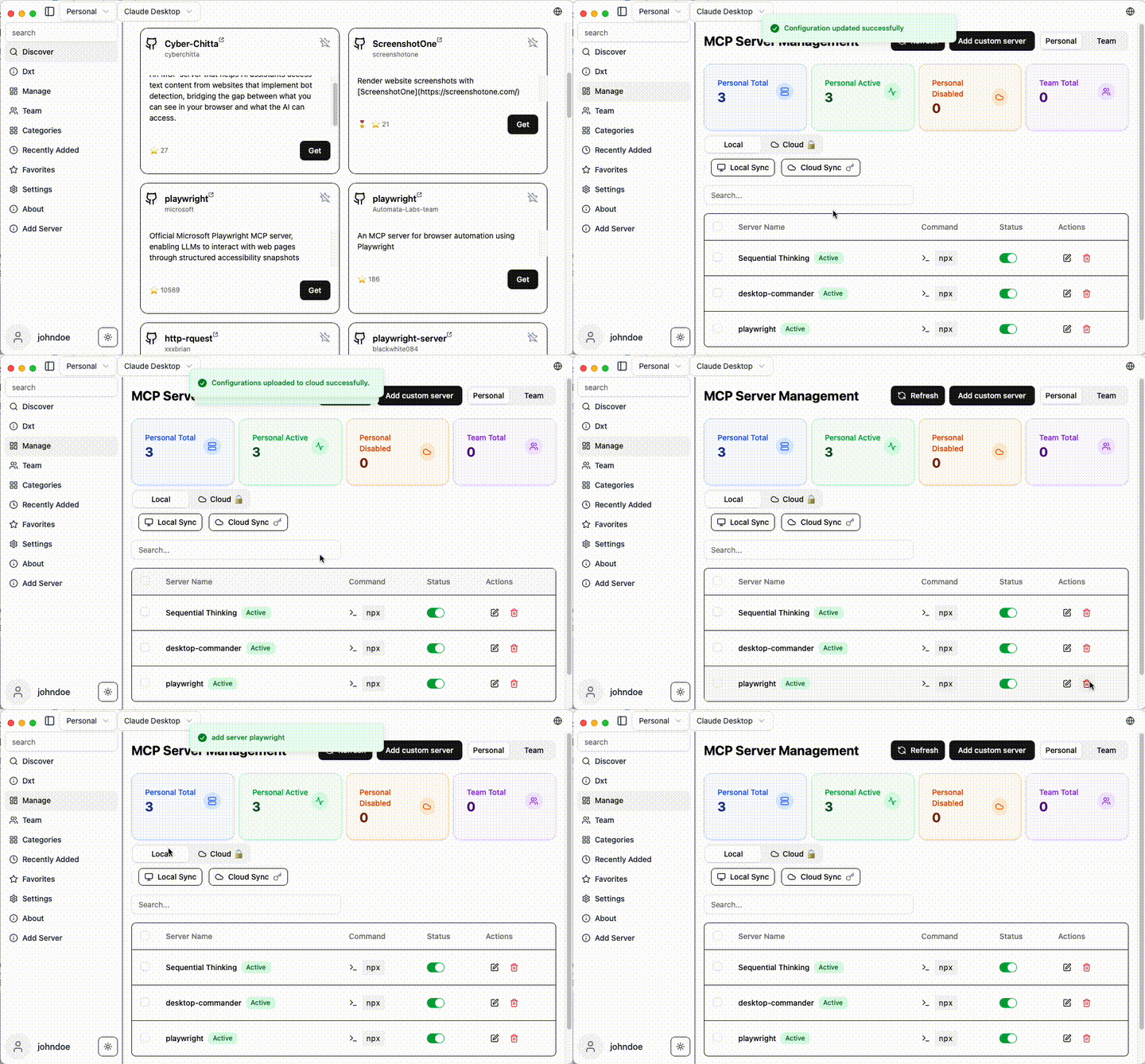
🚀 Why MCP Linker?
- ⚡ Instant — Add MCP servers in seconds
- 🧠 Multi-Client Support — Works with all major AI clients
✨ Features
- Local Sync — Sync MCP server configs across multiple clients
- Official MCP Registry — Browse and install servers straight from registry.modelcontextprotocol.io
- Multi-Client Support — Claude Desktop/Code, Cursor, VS Code, Cline, Windsurf, Codex, Roo Code. see Detail
- Cross-Platform — macOS, Windows, Linux
- Smart Detection — Auto-detect Python, Node.js, uv environments
- GUI for OpenAI Codex CLI — based on Codexia
🚀 Quick Start
Installation
Arch Linux (AUR)
yay -S mcp-linker-bin
macOS (Homebrew)
brew install --cask milisp/mcp-linker/mcp-linker
Windows / Linux / macOS (Direct Download) Download the: 📥latest Releases
[!Note] If you have subscribed, please relaunch the app after logging in for the first time.
Getting Started
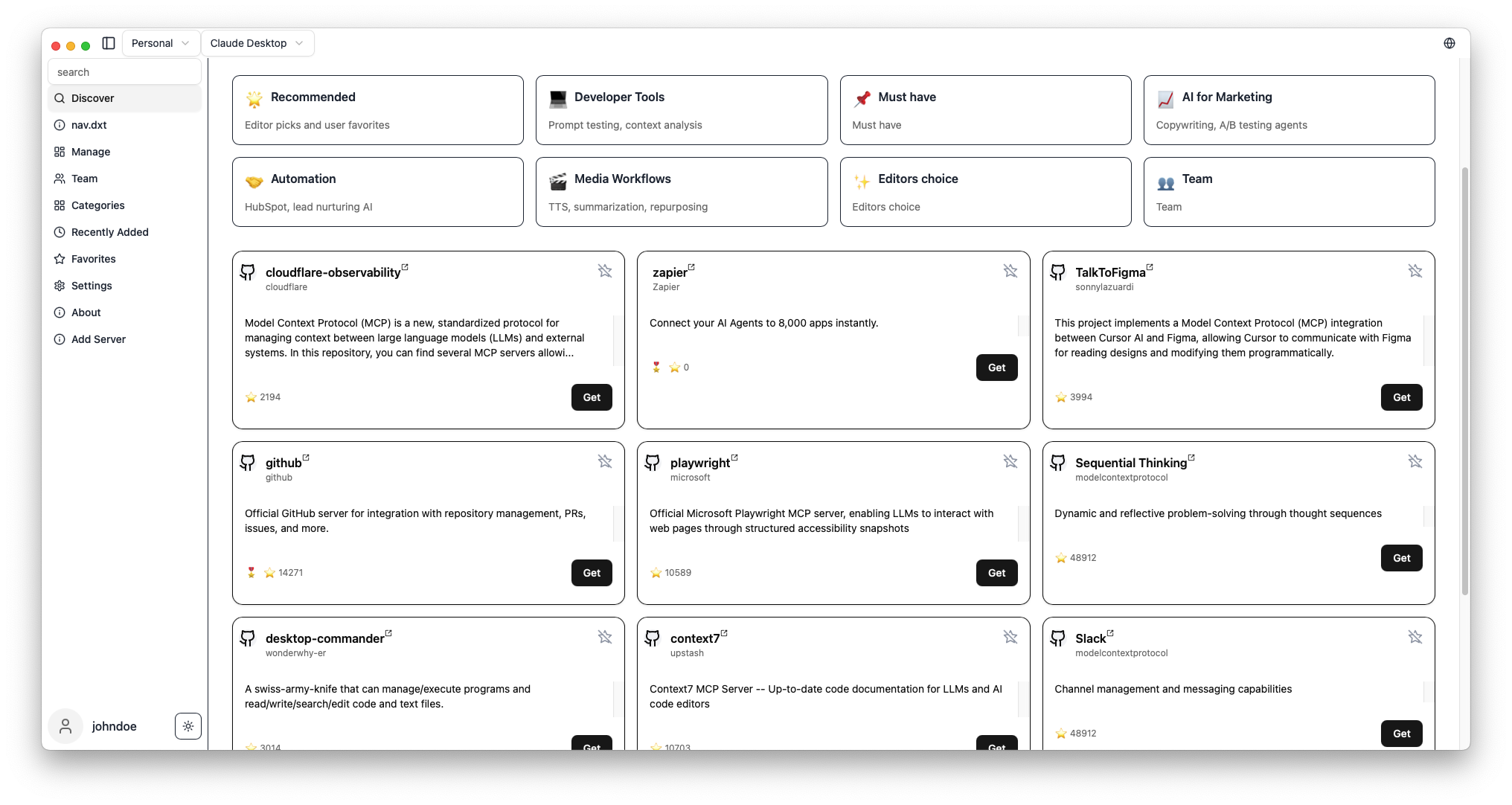
- Browse MCP servers in the built-in marketplace
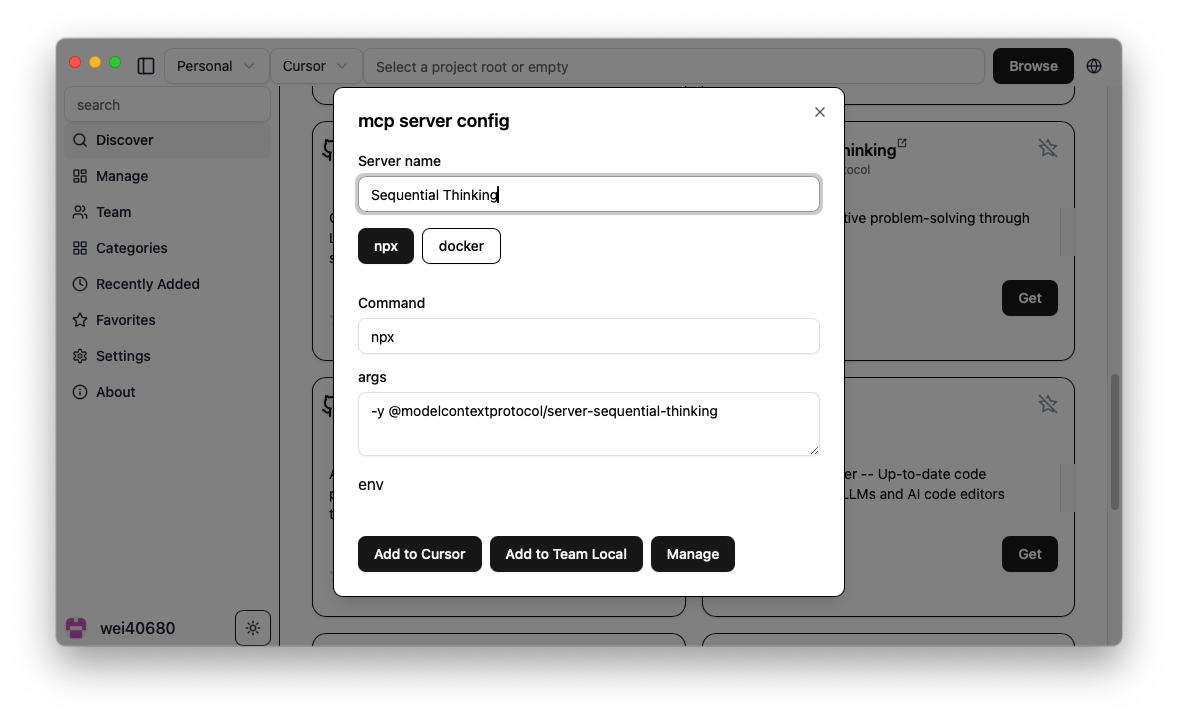
- Click "Get" to show configuration
- Click "Add" to install to your selected client
- Done! Start using new AI capabilities immediately
Screenshots
| Server Discovery | Add Configuration |
|---|---|
 |
 |
What's MCP?
Model Context Protocol is like USB-C for AI — a standard way to connect AI models to different data sources and tools.
🧭 Related Projects
- milisp/codexia - The missing GUI for the OpenAI Codex CLI, (FileTree + notepad + git diff + plan mode) all in a lightweight Tauri desktop app.
- awesome-claude-dxt — a curated list of Claude Desktop Extensions (dxt), tools, and resources
- claw-army/claude-node — Python subprocess bridge for Claude Code CLI, giving Python code direct access to Claude Code native capabilities via stream-json.
💬 Community & Support
🛠️ Development
For development commands, and contribution guidance, see CONTRIBUTING
🔍 Troubleshooting
see the Wiki
💖 Contributors
Thanks to all our wonderful contributors!
License
MCP Linker is dual-licensed under AGPL-3.0 and a Commercial License.
- AGPL-3.0 — for open-source use.
- Commercial License — required for closed-source, proprietary, hosted, or SaaS use.
Found this helpful? Please ⭐ the project!
📈 Star History
Installing MCP Linker
This server has no published package — it is built from source. Open the repository and follow its README.
▸ github.com/milisp/mcp-linkerFAQ
Is MCP Linker MCP free?
Yes, MCP Linker MCP is free — one-click install via Unyly at no cost.
Does MCP Linker need an API key?
No, MCP Linker runs without API keys or environment variables.
Is MCP Linker hosted or self-hosted?
Self-hosted: the server runs locally on your machine via the install command above.
How do I install MCP Linker in Claude Desktop, Claude Code or Cursor?
Open MCP Linker on unyly.org, pick your client tab (Claude Desktop, Claude Code, Cursor) and press Install — the config is generated automatically, no JSON editing.
Related MCPs
GitHub
PRs, issues, code search, CI status
 by GitHub
Filesystem
Secure file operations with configurable access controls.
Memory
Knowledge graph-based persistent memory system.
Template MCP Server
A CLI tool to create a new Model Context Protocol server project with TypeScript support, dual transport options, and an extensible structure
 by mcpdotdirect
Amap Maps Mcp Server
MCP server for using the AMap Maps API
 by duxiaohui
Supabase
Database, auth and storage
 by Supabase
Everything
Reference / test server with prompts, resources, and tools.
Git
Tools to read, search, and manipulate Git repositories.
Sequential Thinking
Dynamic and reflective problem-solving through thought sequences.
Time
Time and timezone conversion capabilities.
Compare MCP Linker with
Not sure what to pick?
Find your stack in 60 seconds
Author?
Embed badge for your README
Browse similar
All development MCPs