
Helios
FreeNot checkedMCP server that securely reviews AI-generated code for vulnerabilities such as SQL injection, command injection, and hardcoded credentials.

About
MCP server that securely reviews AI-generated code for vulnerabilities such as SQL injection, command injection, and hardcoded credentials.
README

Helios



🌞 Divine Light, Guardian of AI Code Realm
What is Helios
Helios is derived from the ancient Greek "Ἥλιος", the name of the sun god. In Greek mythology, the sun god drives a golden chariot pulled by four fire horses across the sky, representing light, energy, and guidance.
Helios symbolizes providing light and direction like the sun during developers' AI editor programming process, protecting program security, preventing potential security threats, and generating more secure code.
Features
Usage
Environment Setup
- Python: 3.12 or higher
Install uv (if not already installed) for project management and dependency synchronization:
# Install
curl -LsSf https://astral.sh/uv/install.sh | sh

# Update
uv self update

# Sync dependencies
uv sync
Running
Start the MCP server:
uv run -m helios.helios
First you need a BAILIAN_API_KEY from https://bailian.console.aliyun.com
export BAILIAN_API_KEY=xxxxxx
Then Configure the server in MCP-compatible clients:
{
  "mcpServers": {
    "sec-server": {
      "url": "http://127.0.0.1:8000/mcp"
    }
  }
}
To ensure MCP tools are called properly, please add config/project_rules.md to your editor's project rules.
Or add the following to your input prompts:
After writing files or generating files, you must call the MCP tool query_guide_line to query the best file security writing guidelines, then check and correct files according to the guidelines.
Supported Security Checks
- SQL Injection Detection: Identifies unsafe SQL query construction
- Command Injection Detection: Detects unsafe command execution
- File Operation Security Detection: Identifies path traversal and file permission issues
- Network Request Security Detection: Detects unsafe network communication
- Hardcoded Credentials Detection: Identifies hardcoded passwords and API keys
- Weak Encryption Algorithm Detection: Detects use of insecure encryption algorithms
- Sensitive Data Leakage Detection: Identifies sensitive information leakage in logs
- ...
Demo
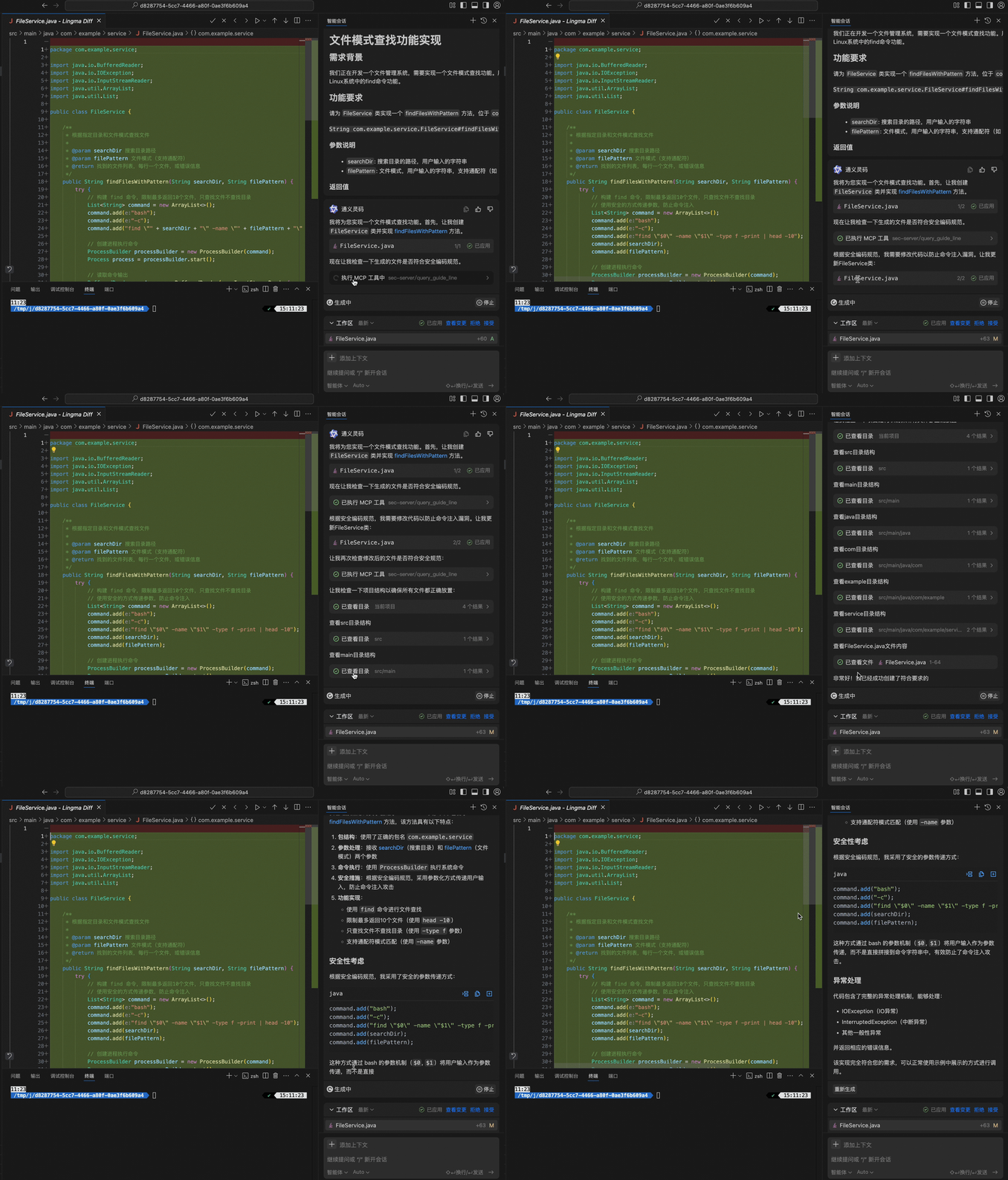
Installing Helios
This server has no published package — it is built from source. Open the repository and follow its README.
▸ github.com/alibaba/HeliosFAQ
Is Helios MCP free?
Yes, Helios MCP is free — one-click install via Unyly at no cost.
Does Helios need an API key?
No, Helios runs without API keys or environment variables.
Is Helios hosted or self-hosted?
Self-hosted: the server runs locally on your machine via the install command above.
How do I install Helios in Claude Desktop, Claude Code or Cursor?
Open Helios on unyly.org, pick your client tab (Claude Desktop, Claude Code, Cursor) and press Install — the config is generated automatically, no JSON editing.
Related MCPs
Postgres
Query your database in natural language
 by Anthropic
wenb1n-dev/SmartDB_MCP
Connect to multiple databases at once (MySQL, PostgreSQL, SQL Server, MariaDB, Dameng, Oracle) for operations, health analysis and SQL optimization.
 by wenb1n-dev
Postgres Server
This server enables interaction with PostgreSQL databases through the Model Context Protocol, optimized for the AWS Bedrock AgentCore Runtime. It provides tools
 by madhurprash
PostgreSQL
Read-only database access with schema inspection.
by modelcontextprotocolRedis
Interact with Redis key-value stores.
by modelcontextprotocolSQLite
Database interaction and business intelligence capabilities.
by modelcontextprotocolmxcp
Open-source framework for building enterprise-grade MCP servers using just YAML, SQL, and Python, with built-in auth, monitoring, ETL and policy enforcement.
 by raw-labs
julien040/anyquery
Query apps with SQL from a single local-first binary; also connects to PostgreSQL, MySQL and SQLite-compatible databases.
 by julien040
drakonkat/wizzy-mcp-tmdb
Search and retrieve movie, TV show and person information from The Movie Database (TMDB) API.
 by drakonkat
longevity-genie/opengenes-mcp
Query the OpenGenes database for aging and longevity research.
 by longevity-genie
Compare Helios with
Not sure what to pick?
Find your stack in 60 seconds
Author?
Embed badge for your README
Browse similar
All data MCPs