
Godot Docs
FreeNot checkedEnables searching and retrieving Godot documentation pages using fuzzy search, with support for multiple documentation versions.

About
Enables searching and retrieving Godot documentation pages using fuzzy search, with support for multiple documentation versions.
README
This project is hosted on Cloudflare using their Agents framework
[!WARNING] Due to the popularity of this project, a rate limit of 30 requests per 60 second has been added. If you want to avoid that, create a free Cloudflare account yourself and deploy this project.
Look up documentation in Godot using fuzz search. Supports stable, latest, 4.6, 4.5, 4.4, and 4.3 versions. The default version is "stable".
Tools
search_docs (searchTerm: string, version: "stable" | "latest" | "4.6" | "4.5" | "4.4" | "4.3" = "stable")
Search the Godot docs by term. Will return URLs to the documentation for each matching term. The resulting URLs will need to have their page content fetched to see the documentation.
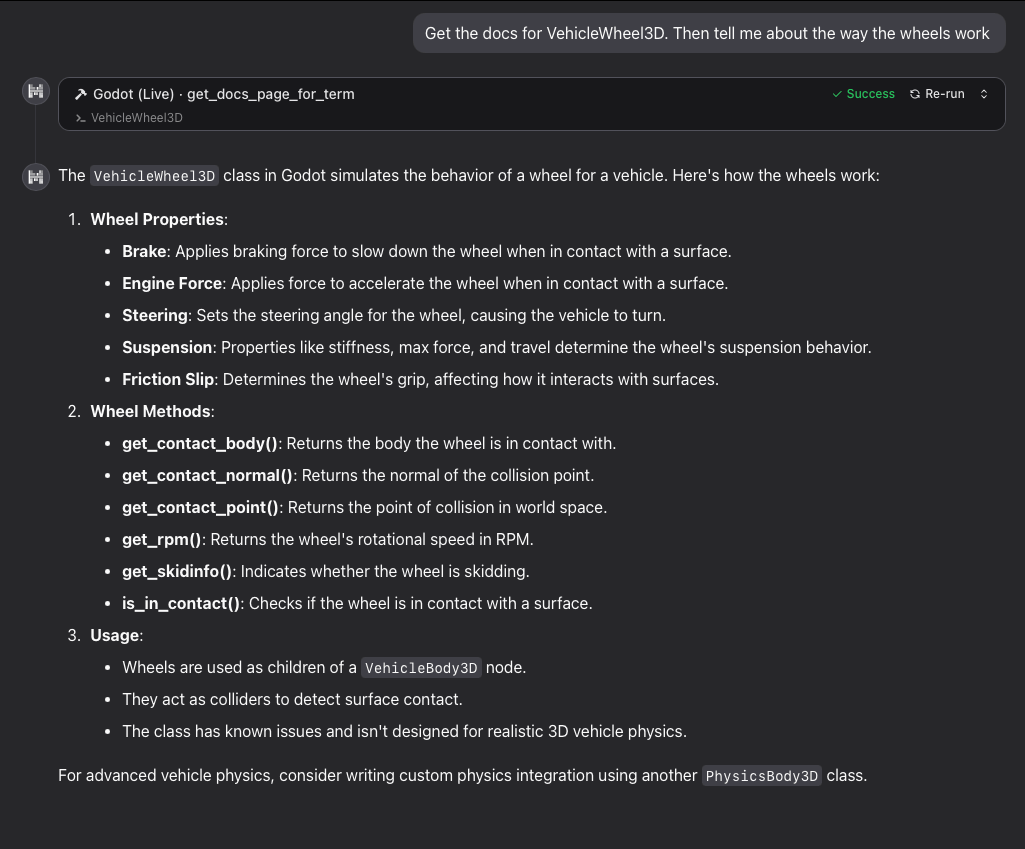
get_docs_page_for_term (searchTerm: string, version: "stable" | "latest" | "4.6" | "4.5" | "4.4" | "4.3" = "stable")
Get the Godot docs content by term. Will return the full documentation page for the first matching result.
Configure the MCP server
To use the hosted HTTP server:
{
  "mcpServers": {
    "godot": {
      "type": "http",
      "url": "https://godot-docs-mcp.j2d.workers.dev/mcp"
    }
  }
}
Or, to connect to the MCP server using a stdio server:
{
  "mcpServers": {
    "godot": {
      "command": "npx",
      "args": [
        "mcp-remote",
        "https://godot-docs-mcp.j2d.workers.dev/mcp"
      ]
    }
  }
}
How this works
The docs site uses a frontend search tool to handle the docs search. There is a file called searchindex.js in the docs site that contains an index of all the pages (URLs and titles, not content) on the site.
This project takes advantage of that in the following ways:
- downloads each of those
searchindex.jsfiles for each version of the docs - converts the
searchindex.jsto asearchindex.js.jsonthat is just json we need - indexes that new json using lucaong/minisearch
- when a docs page is requested, the URL for the page is converted from HTML to markdown
Local development
MCP server
npm install
npm run dev
Then, set up your tool:
{
  "mcpServers": {
    "godot": {
      "command": "npx",
      "args": [
        "mcp-remote",
        "http://localhost:8787/mcp"
      ]
    }
  }
}
To debug the server, you can use this browser tool:
# in another tab
npx @modelcontextprotocol/inspector
Then open http://localhost:6274/#tools.
You can also use https://www.mcpplayground.io/ to look at the tools in the live HTTP server.
Generating the docs
# create the folders
echo "stable,latest,4.6,4.5,4.4,4.3" | string split "," | xargs -I {} mkdir -p "src/indexes/{}"
# download the files
echo "stable,latest,4.6,4.5,4.4,4.3" | string split "," | xargs -I {} curl -o "src/indexes/{}/searchindex.js" "https://docs.godotengine.org/en/{}/searchindex.js"
# convert the .js to a .json
lsd src/indexes/*/searchindex.js | xargs -n1 fish -c 'cat "$argv" | sd "Search.setIndex\(" "" | sed \'$ s/.$//\' | jq \'.docnames | to_entries | map({id: .key, name: .value, category: .value | split("/") | first, url: "/\\(.value).html"})\' > "$argv.json"'
Deploy to Cloudflare
To deploy your own instance (recommended to avoid rate limits):
- Create a free Cloudflare account
- Install and authenticate Wrangler:
npm install -g wrangler
wrangler login
- Change the
ratelimitssettings in thewrangler.jsonc. - Clone and deploy:
git clone https://github.com/your-repo/godot-docs-mcp.git
cd godot-docs-mcp
npm install
npm run deploy
- Update your server URL:
After deployment, update your MCP config with your worker URL:
{
  "mcpServers": {
    "godot": {
      "type": "http",
      "url": "https://godot-docs-mcp.YOUR-SUBDOMAIN.workers.dev/mcp"
    }
  }
}
Adjusting the Rate Limit
The default rate limit is 30 requests per 60 seconds. To increase or disable it, edit wrangler.jsonc:
Increase the limit:
"ratelimits": [
  {
    "name": "MCP_RATE_LIMITER",
    "namespace_id": "1001",
    "simple": {
      "limit": 1000,
      "period": 60
    }
  }
]
Disable rate limiting entirely:
Remove the entire ratelimits array from wrangler.jsonc.
Installing Godot Docs
This server has no published package — it is built from source. Open the repository and follow its README.
▸ github.com/dachnikrus/godot-docs-mcpFAQ
Is Godot Docs MCP free?
Yes, Godot Docs MCP is free — one-click install via Unyly at no cost.
Does Godot Docs need an API key?
No, Godot Docs runs without API keys or environment variables.
Is Godot Docs hosted or self-hosted?
Self-hosted: the server runs locally on your machine via the install command above.
How do I install Godot Docs in Claude Desktop, Claude Code or Cursor?
Open Godot Docs on unyly.org, pick your client tab (Claude Desktop, Claude Code, Cursor) and press Install — the config is generated automatically, no JSON editing.
Related MCPs
Notion
Read and write pages in your workspace
 by Notion
Linear
Issues, cycles, triage — from Claude
 by Linear
Google Drive
Search and read your Drive files
 by Google
mindsdb/mindsdb
Connect and unify data across various platforms and databases with [MindsDB as a single MCP server](https://docs.mindsdb.com/mcp/overview).
 by mindsdb
fulcradynamics/fulcra-context-mcp
MCP server for accessing personal health and biometric data including sleep stages, heart rate, HRV, glucose, workouts, calendar, and location via the Fulcra Li
 by fulcradynamics
aymericzip/intlayer
A MCP Server that enhance your IDE with AI-powered assistance for Intlayer i18n / CMS tool: smart CLI access, access to the docs.
 by aymericzip
rinadelph/Agent-MCP
A framework for creating multi-agent systems using MCP for coordinated AI collaboration, featuring task management, shared context, and RAG capabilities.
 by rinadelph
WhenLabs-org/when
Developer toolkit: auto-detect stack for AI context files, catch port conflicts, validate .env schemas, spot docs drift, audit dependency licenses, and time cod
 by WhenLabs-org
Beltran12138/wecom-docs-mcp-server
WeCom (Enterprise WeChat) document operations via MCP: create, read, and edit Docs and Smartsheets (9 tools). Fills the doc-CRUD gap — existing WeCom MCP server
 by Beltran12138
madbonez/caldav-mcp
Universal MCP server for CalDAV protocol integration. Works with any CalDAV-compatible calendar server including Yandex Calendar, Google Calendar (via CalDAV),
 by madbonez
Compare Godot Docs with
Not sure what to pick?
Find your stack in 60 seconds
Author?
Embed badge for your README
Browse similar
All productivity MCPs