
Dcc Wwise
FreeNot checkedEnables interaction with Audiokinetic Wwise Authoring through WAAPI, allowing project inspection, sound and music imports, event management, and audible preview

About
Enables interaction with Audiokinetic Wwise Authoring through WAAPI, allowing project inspection, sound and music imports, event management, and audible previews.
README

Typed DCC-MCP adapter for Audiokinetic Wwise Authoring. It connects to Wwise's official loopback WAAPI endpoint, binds discovery to the concrete Wwise process, and exposes progressively loaded tools for project inspection, Sound SFX and Music Segment imports, Random/Sequence Containers, Events, properties and references, Switch/State-driven SFX and music, RTPC curves, connected-game profiler sessions, SoundBank/ProjectInfo reconciliation, Work Unit source control, saves, and bounded audible previews. While the adapter is connected, Wwise also exposes a session-scoped DCC-MCP menu for the project repository and playable audio showcase.
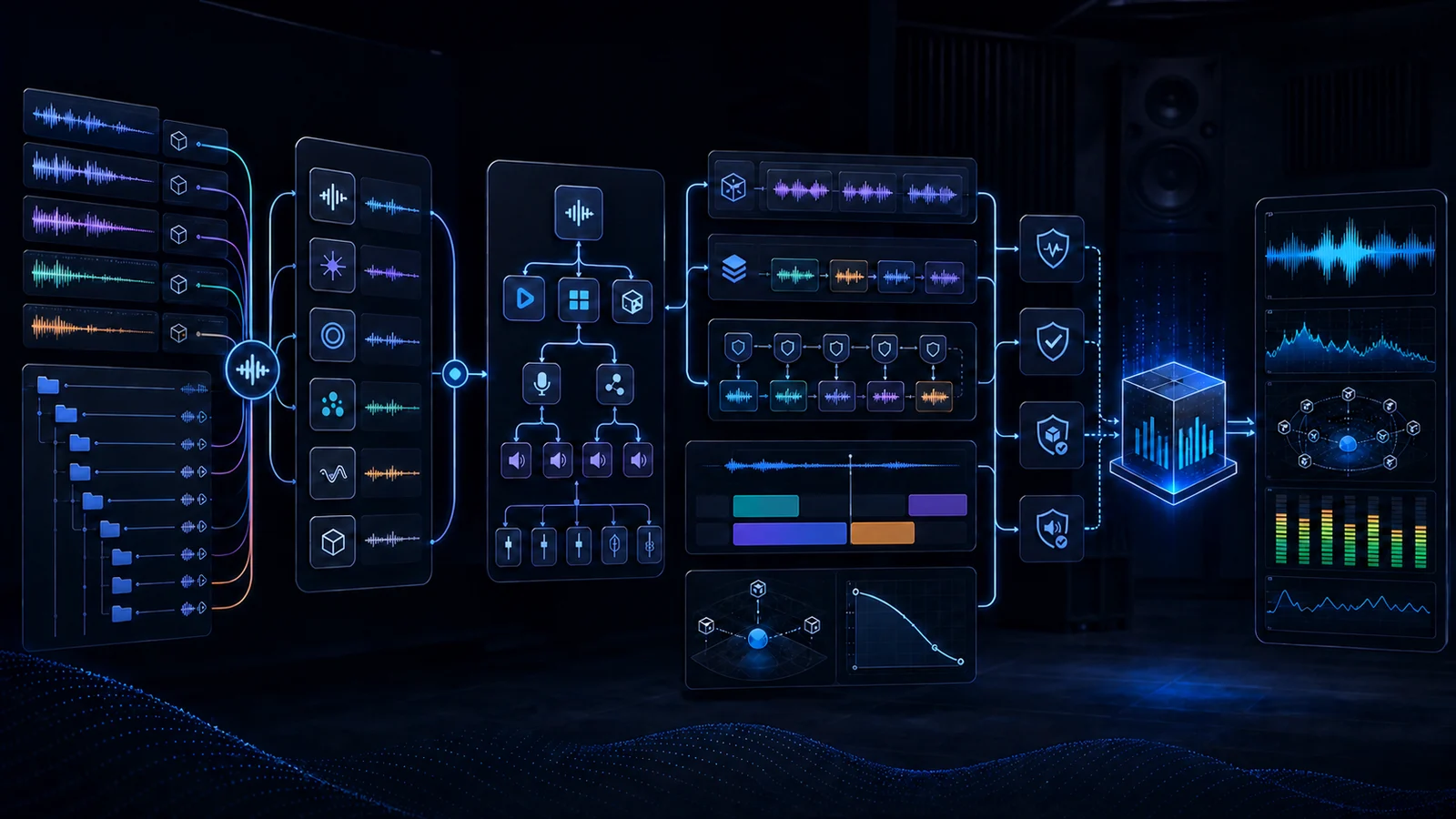
Illustrative workflow generated with OpenAI ImageGen from the retained source in showcase/sources; live WAAPI and audible-playback evidence is documented separately in the reproducible audio showcase.
Part of the DCC-MCP host matrix
dcc-mcp-wwise — Audiokinetic Wwise Authoring adapter with typed WAAPI project, audio, SoundBank, and profiler workflows.
It is one of 47 host adapters in the DCC-MCP catalog. Every adapter speaks the same MCP protocol and builds on the same core runtime contract; each one exposes the tools its own host needs on top of that.
This block is generated from the catalog entry in dcc-mcp-catalog.yml. Re-run the generator after changing the catalog.
Quick start
Requirements: Wwise 2024.1+ with Project > User Preferences > Enable Wwise
Authoring API enabled, Python 3.10+, and dcc-mcp-core 0.20.14+.
Do not infer publication from a source version or release tag. Require the version-independent PyPI project JSON to resolve the intended non-yanked wheel and sdist before using the command below. The Core catalog entry is still pending, so catalog installation must remain disabled until Core lands a digest-pinned entry. PyPI Trusted Publisher configuration is an external repository gate and is not established by repository code. This release workflow has not been validated against a real Wwise Authoring/WAAPI session.
python -m pip install --upgrade dcc-mcp-wwise
dcc-mcp-wwise doctor --json
The PID-less probe is preflight-only. Bind verification and the service to the same independently observed Wwise process before claiming readiness:
$wwisePid = (Get-Process Wwise | Where-Object MainWindowTitle -Like '*your-project*').Id
dcc-mcp-wwise verify --json --host-pid $wwisePid --timeout-ms 5000
dcc-mcp-wwise --host-pid $wwisePid
Control always follows the typed CLI flow:
dcc-mcp-cli list
dcc-mcp-cli search --query "Wwise project info" --dcc-type wwise
dcc-mcp-cli load-skill wwise-project --dcc-type wwise
dcc-mcp-cli describe <returned-tool-slug>
dcc-mcp-cli call <returned-tool-slug> --json '{}' --wait
See install.md for publication gates, Windows/macOS/Linux setup, WAAPI endpoint policy, stable doctor exits, upgrade, uninstall, and troubleshooting, and showcase/audio/README.md for the reproducible audio showcase.
Audio showcase
The footstep example batch-imports three deterministic WAVs into a step-mode
Random Container, assigns its Output Bus, creates and previews
Play_Footsteps, then generates a Windows Gameplay SoundBank.
The installable wwise-audio Skill also contains an
end-to-end RPG workflow
for dynamic music, surface Switches, RTPCs, Events, engine handoff, profiling,
and team source control.
Runtime shape
dcc-mcp-cli -> DCC-MCP gateway -> dcc-mcp-wwise -> official waapi-client -> Wwise
The adapter does not embed Python into Wwise, create another gateway, or expose arbitrary script execution. The service row is bound to the Wwise host PID, so it becomes invalid when that authoring instance exits.
Development
vx uv sync --extra dev
vx uv run ruff check src tests tools
vx uv run ruff format --check src tests tools
vx uv run pytest
vx uv run python tools/lint_skills.py
Installing Dcc Wwise
This server has no published package — it is built from source. Open the repository and follow its README.
▸ github.com/dcc-mcp/dcc-mcp-wwiseFAQ
Is Dcc Wwise MCP free?
Yes, Dcc Wwise MCP is free — one-click install via Unyly at no cost.
Does Dcc Wwise need an API key?
No, Dcc Wwise runs without API keys or environment variables.
Is Dcc Wwise hosted or self-hosted?
Self-hosted: the server runs locally on your machine via the install command above.
How do I install Dcc Wwise in Claude Desktop, Claude Code or Cursor?
Open Dcc Wwise on unyly.org, pick your client tab (Claude Desktop, Claude Code, Cursor) and press Install — the config is generated automatically, no JSON editing.
Related MCPs
ARA
Generate images, video and audio from any AI agent — one connector.
 by ARA
Omni Video
An MCP server that transforms LLM-enabled IDEs into professional video editors by pre-processing footage into text proxies, generating motion graphics via HTML/
 by buildwithtaza
YouTube
Transcripts, channel stats, search
 by YouTube
EverArt
AI image generation using various models.
 by modelcontextprotocol
gpu-bridge/mcp-server
GPU inference API for LLMs, image and video generation, TTS, Whisper, embeddings, reranking and OCR, paid per use via x402 or an API key.
 by gpu-bridge
merterbak/Grok-MCP
Access xAI's Grok API with agentic tool calling, image generation, vision and file support.
 by merterbak
SureScaleAI/openai-gpt-image-mcp
Image generation and editing with OpenAI's GPT image models.
 by SureScaleAI
YangLiangwei/PersonalizationMCP
Aggregate personal data from Steam, YouTube, Bilibili, Spotify, Reddit and other gaming, music, video and social platforms, with OAuth2 and token management.
 by YangLiangwei
AceDataCloud/MCPFlux
Flux image generation and editing from Black Forest Labs via the Ace Data Cloud API.
 by AceDataCloud
AceDataCloud/MCPNanoBanana
Nano Banana image generation and editing, including virtual try-on and product placement in realistic scenes.
by AceDataCloudCompare Dcc Wwise with
Not sure what to pick?
Find your stack in 60 seconds
Author?
Embed badge for your README
Browse similar
All media MCPs