

About
Typed Tiled map automation for the DCC Model Context Protocol
README

Typed, workspace-bounded level authoring for Tiled through the DCC Model Context Protocol.
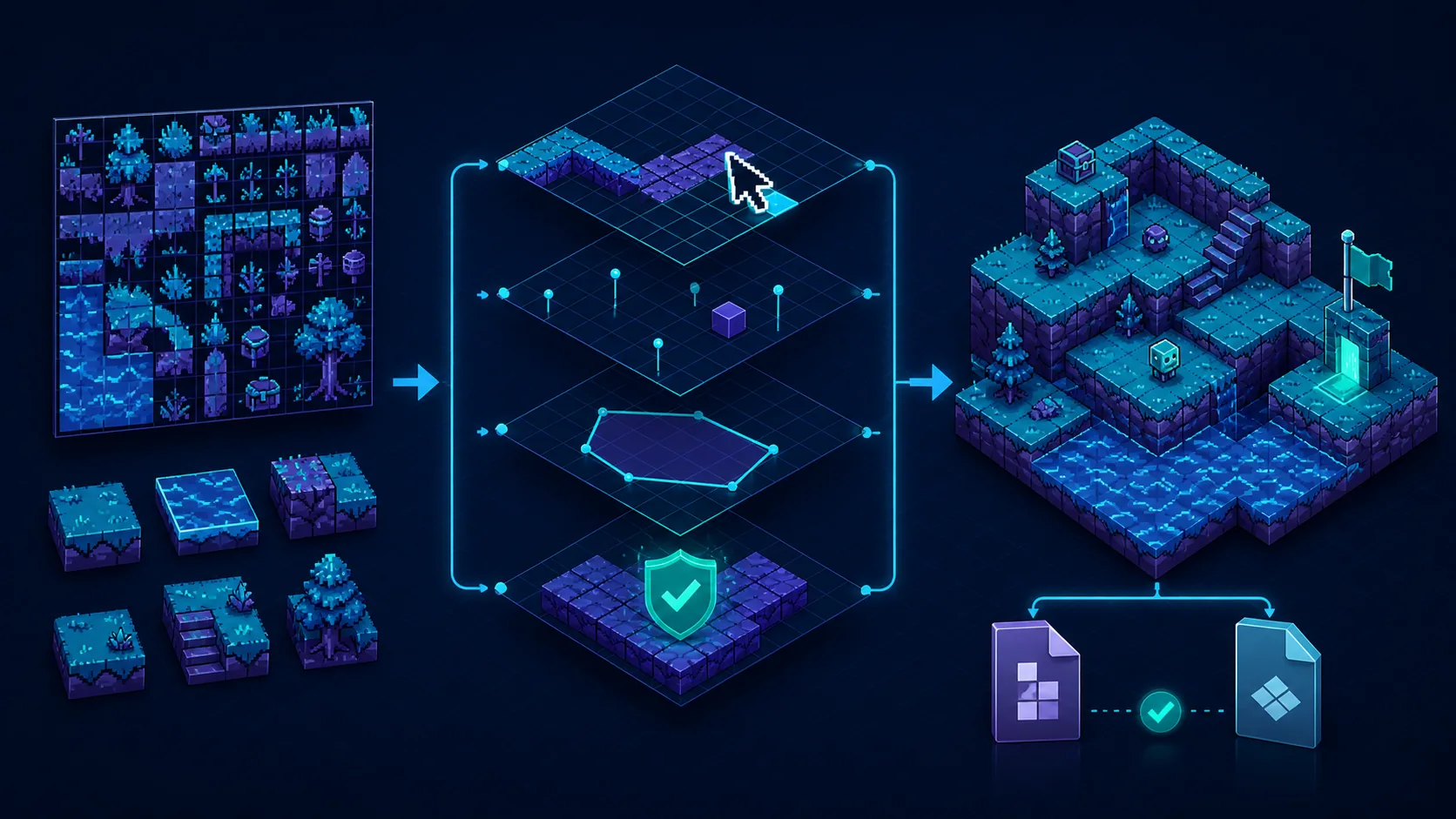
Illustrative workflow generated with OpenAI ImageGen from the retained source in docs/images/sources; it is not a Tiled screenshot or host-validation artifact.
The adapter invokes Tiled's official JavaScript scripting API through
tiled --evaluate. It ships one fixed driver and accepts typed JSON data only:
clients cannot submit JavaScript or other arbitrary source code. The service is
standalone, so Tiled does not need an in-process Python plug-in or an open editor
window.
Part of the DCC-MCP host matrix
dcc-mcp-tiled — Tiled adapter for typed workspace-bounded map authoring, validation, and conversion.
It is one of 47 host adapters in the DCC-MCP catalog. Every adapter speaks the same MCP protocol and builds on the same core runtime contract; each one exposes the tools its own host needs on top of that.
This block is generated from the catalog entry in dcc-mcp-catalog.yml. Re-run the generator after changing the catalog.
Capabilities
| Typed tool | Purpose |
|---|---|
get_status |
Verify the executable, Tiled/Qt versions, formats, roots, and runtime limits. |
inspect_map |
Summarize maps, layers, objects, tilesets, properties, and bounded tile occupancy. |
validate_map |
Parse a map with Tiled and report structural or reference errors. |
create_map |
Create orthogonal, isometric, staggered, or hexagonal maps with initial layers. |
add_object_layer |
Add a uniquely named object layer and scalar properties. |
write_objects |
Append or replace bounded point, rectangle, ellipse, polygon, or polyline objects. |
create_tileset |
Create an external TSJ/TSX tileset from an image. |
add_tileset |
Attach an external tileset to a map. |
paint_tiles |
Paint or clear bounded cells, including Tiled flip flags. |
convert_map |
Convert maps through Tiled's registered map formats, including TMJ and TMX. |
All mutating operations write to a same-directory temporary file and atomically replace the requested output only after Tiled returns a valid, non-empty result.
Install
Install Tiled 1.10 or newer, then
follow the agent-first installation guide. The adapter is not
currently published on PyPI, so pip install dcc-mcp-tiled must not be treated
as a working install path. Install a checksum-verified wheel from a trusted
release or reviewed checkout, then run:
dcc-mcp-tiled-doctor doctor --json
dcc-mcp-tiled-doctor verify --json
dcc-mcp-tiled
The deprecated dcc-mcp-tiled-install compatibility alias performs
verification only and never writes an installation.
When the fixed driver is unavailable, catalog planning is exposed only through
dcc-mcp-tiled-doctor catalog-plan --json. That wrapper authenticates the
exact Core 0.20.14 CLI bytes against Core's signed platform update manifest and
rechecks the path and digest immediately before the read-only plan. Missing or
untrusted executables return an explicit blocker instead of a placeholder or
browser-only remediation.
The adapter discovers tiled/tiled.exe from PATH and common Windows install
locations. Set an explicit executable when needed:
$env:DCC_MCP_TILED_EXECUTABLE = "C:\Program Files\Tiled\tiled.exe"
$env:DCC_MCP_TILED_ALLOWED_ROOTS = "D:\game\maps;D:\game\art"
dcc-mcp-tiled
On POSIX systems, separate multiple allowed roots with : instead of ;.
Without DCC_MCP_TILED_ALLOWED_ROOTS, only the server's current working
directory is accessible.
The MCP endpoint is registered with DCC-MCP Core and is also available directly
from the adapter's loopback HTTP server. Use dcc-mcp-cli instances to discover
the active URL and typed capabilities.
Safety contract
- Source and output paths must remain inside
DCC_MCP_TILED_ALLOWED_ROOTS. - Inputs, responses, maps, tile cells, objects, coordinates, properties, and execution time all have explicit upper bounds.
- Subprocesses run without a shell, support DCC-MCP cancellation, and are terminated on timeout.
- Existing outputs require
overwrite=true; successful writes are atomic. - The bundled driver is immutable package code. Tool arguments are JSON data, never evaluated source.
- This adapter does not claim interactive GUI control. Visible editor automation belongs to a separate, explicitly authorized UI-control workflow.
Runtime ceilings can be reduced with DCC_MCP_TILED_MAX_MAP_BYTES,
DCC_MCP_TILED_MAX_REQUEST_BYTES, DCC_MCP_TILED_MAX_RESPONSE_BYTES,
DCC_MCP_TILED_MAX_TILE_CELLS, DCC_MCP_TILED_MAX_CELLS_PER_CALL,
DCC_MCP_TILED_MAX_OBJECTS_PER_CALL, and
DCC_MCP_TILED_MAX_TIMEOUT_SECS.
Native validation
The release gate runs the official Tiled 1.12.2 AppImage by a pinned SHA256 in a
virtual display. It creates a two-tile image tileset, authors and paints a TMJ
map, writes two gameplay objects, validates it, converts it to TMX, starts the
packaged MCP server, loads the bundled Skill, and completes a typed asynchronous
get_status job. The smoke test verifies 10 registered typed tools and never
uses a mock Tiled process.
The adapter does not download Tiled and has no persistent binary cache. The CI AppImage exists only in the ephemeral runner workspace; operators own upgrades and cleanup for OS packages or exact, checksum-verified AppImages.
TMJ/TMX outputs are suitable handoff artifacts for downstream Godot, Blender, and other game-content pipelines. This adapter validates the Tiled artifact; a target engine or DCC remains responsible for its own importer and scene-level acceptance.
Development
python -m pip install -e ".[dev]"
python -m pytest
python -m ruff check src tests tools
python -m ruff format --check src tests tools
python tools/lint_skills.py
python -m build
python -m twine check dist/*
Architecture details are in docs/architecture.md. Official API references: scripting, MapFormat, and TilesetFormat.
Install Dcc Mcp Tiled in Claude Desktop, Claude Code & Cursor
unyly install dcc-mcp-tiledInstalls into Claude Desktop, Claude Code, Cursor & VS Code — handles npx, uvx and build-from-source repos for you.
First time? Get the CLI: curl -fsSL https://unyly.org/install | sh
Or configure manually
Run in your terminal:
claude mcp add dcc-mcp-tiled -- uvx dcc-mcp-tiledStep-by-step: how to install Dcc Mcp Tiled
FAQ
Is Dcc Mcp Tiled MCP free?
Yes, Dcc Mcp Tiled MCP is free — one-click install via Unyly at no cost.
Does Dcc Mcp Tiled need an API key?
No, Dcc Mcp Tiled runs without API keys or environment variables.
Is Dcc Mcp Tiled hosted or self-hosted?
Self-hosted: the server runs locally on your machine via the install command above.
How do I install Dcc Mcp Tiled in Claude Desktop, Claude Code or Cursor?
Open Dcc Mcp Tiled on unyly.org, pick your client tab (Claude Desktop, Claude Code, Cursor) and press Install — the config is generated automatically, no JSON editing.
Related MCPs
LibreOffice Tools
Enables AI agents to read, write, and edit Office documents via LibreOffice with token-efficient design. Supports multiple formats including DOCX, XLSX, PPTX, a
 by passerbyflutter
Figma
Extract design specs and assets
 by Figma
dannote/figma-use
Figma control: create shapes, text and components, and set styles, auto-layout, variables and exports.
 by dannote
Logo.dev
Search and retrieve company logos by brand or domain. Customize size, format, and theme to match your design needs. Accelerate design, prototyping, and content
 by NOVA-3951
Design Inspiration Server
Searches top design platforms like Dribbble and Behance to provide UI inspiration, color palettes, and layout patterns via the Serper API. It allows users to re
 by YonasValentin
PIX4Dmatic
Enables GUI automation for controlling PIX4Dmatic on Windows through MCP. Supports launching, focusing, capturing screenshots, sending hotkeys, clicking UI elem
 by jangjo123
mcp-dockmaster
An Open-Sourced UI to install and manage MCP servers for Windows, Linux and macOS.
ariekogan/ateam-mcp
Build, validate and deploy multi-agent AI solutions on the ADAS platform: design skills with tools and manage the solution lifecycle.
 by ariekogan
thinkchainai/mcpbundles
Create custom tool bundles, connect providers with OAuth or API keys, and use one MCP server across many integrations, with a UI for bundles and credentials.
 by thinkchainai
jau123/MeiGen-AI-Design-MCP
Image generation and editing with a curated prompt library, prompt enhancement and routing across local ComfyUI, MeiGen Cloud and OpenAI-compatible APIs.
 by jau123
Compare Dcc Mcp Tiled with
Not sure what to pick?
Find your stack in 60 seconds
Author?
Embed badge for your README
Browse similar
All design MCPs