
Dcc Mcp Sketchup
FreeNot checkedProduction SketchUp adapter with an authenticated Ruby main-thread bridge for DCC-MCP

About
Production SketchUp adapter with an authenticated Ruby main-thread bridge for DCC-MCP
README

Production SketchUp adapter for the DCC-MCP ecosystem. It combines a small Ruby extension inside SketchUp with an external Python sidecar, exposing 28 typed tools without arbitrary Ruby execution.
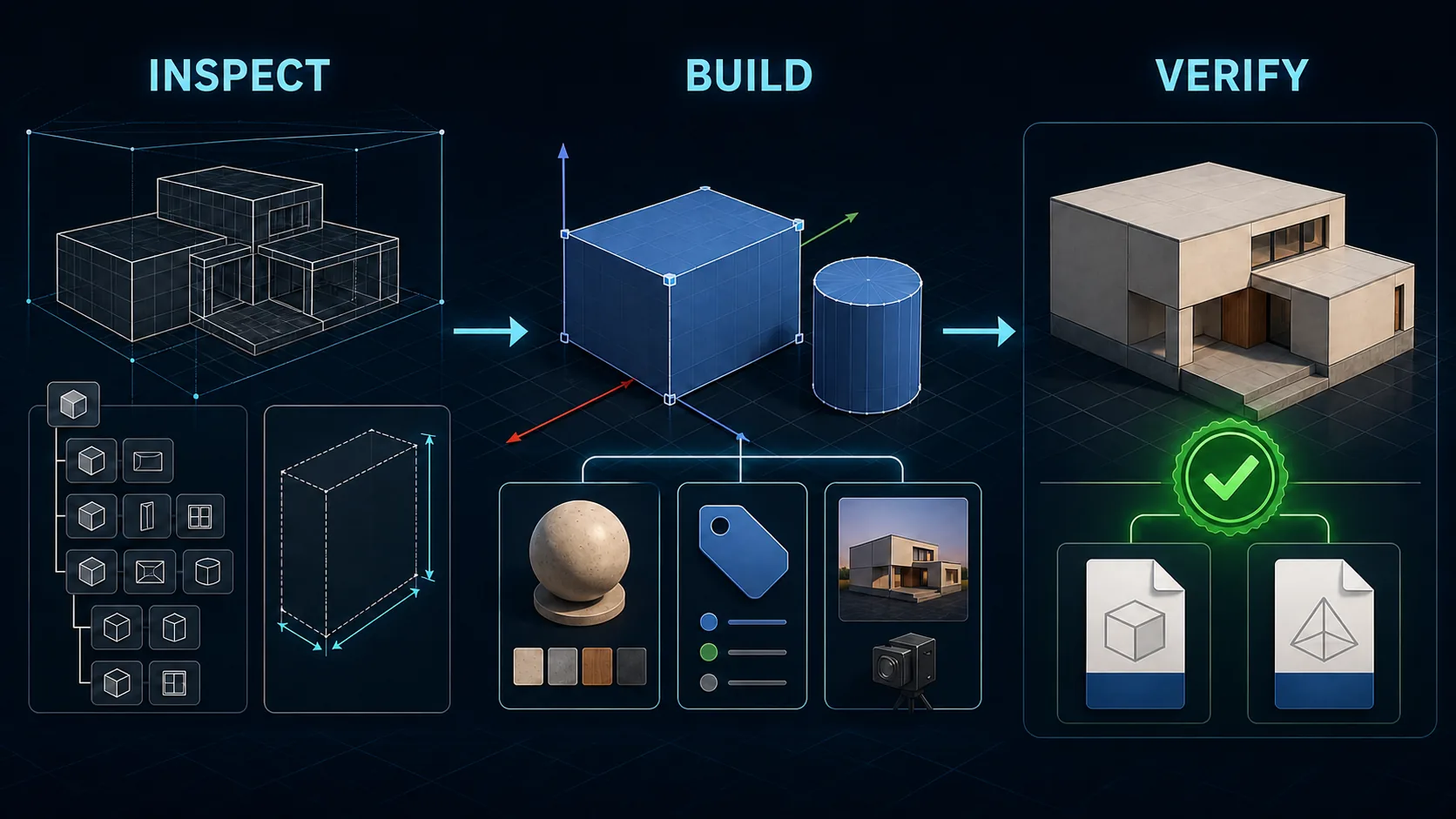
Workflow illustration generated with OpenAI image generation; no third-party source assets.
Part of the DCC-MCP host matrix
dcc-mcp-sketchup — SketchUp adapter with typed modeling, materials, scenes, validation, and interchange workflows.
It is one of 47 host adapters in the DCC-MCP catalog. Every adapter speaks the same MCP protocol and builds on the same core runtime contract; each one exposes the tools its own host needs on top of that.
This block is generated from the catalog entry in dcc-mcp-catalog.yml. Re-run the generator after changing the catalog.
Capabilities
- Inspect model identity, bounds, entities, selection, and validation state.
- Save or copy
.skpmodels and use installed SketchUp importers/exporters. - Create boxes and cylinders, group, transform, rename, select, and erase entities.
- List, create, edit, assign, and safely remove materials.
- Manage saved scenes and Tags.
- Reference entities through SketchUp persistent IDs.
- Package four discoverable DCC-MCP Skills with complete JSON Schemas and MCP annotations.
Architecture
DCC-MCP client
      |
      v
external Python sidecar (dcc-mcp-core)
      |
      | authenticated, bounded JSON-RPC on 127.0.0.1
      v
UI.start_timer callback on SketchUp's UI thread
      |
      | nonblocking, bounded socket pump + one-request queue
      |
      v
typed SketchUp Ruby API command map
The Ruby extension has a single socket owner: the repeating UI timer. Each tick
uses zero-timeout IO.select and nonblocking accept, read, and write operations
across at most 16 connections, then executes at most one validated request.
Frame, response, connection, and deadline limits keep every tick bounded while
preserving SketchUp's thread affinity. No worker thread performs socket I/O or
calls the SketchUp API. Every model mutation is a named undoable operation.
Two runtimes: host-side Python, in-SketchUp Ruby
This adapter is two programs, not one. Knowing which side owns what explains most of its behaviour.
| Host-side Python sidecar | In-SketchUp Ruby extension | |
|---|---|---|
| Runs in | A separate Python process, one per SketchUp PID | The SketchUp process, on the UI thread |
| Owns | MCP surface, skill schemas, install lifecycle, compatibility matrix | The model: every read and every mutation |
| Talks | Authenticated JSON-RPC over loopback, newline-delimited | Same socket, pumped by a UI.start_timer callback |
| Can see | Nothing about the model until the host answers | The whole model, and only on the UI thread |
Discovery order. SketchUp launches the sidecar, not the other way round.
The extension binds an ephemeral loopback port, generates a random per-session
token, writes DCC_MCP_SKETCHUP_BRIDGE_PORT / _TOKEN into the child
environment, and spawns the sidecar. The sidecar then polls bridge.health
until SketchUp answers, and exits when the host PID disappears. So a running
Python process alone proves nothing; readiness is only ever established by the
host answering across that socket.
Bridge protocol. One JSON-RPC request per connection, at most 16
connections, one request in flight on the UI thread. Requests carry a 32-hex
request id and a deadline; responses are correlated by id and compared in
constant time. bridge.health is a virtual method that the Ruby runtime routes
to diagnostics.ping.
Python cannot verify anything on its own. It cannot read the model, so a mutation is only proven once the Ruby side has read the target back. See Write verification.
Requirements
- SketchUp Desktop 2021 or newer on Windows or macOS.
- Python 3.9 or newer for the external sidecar.
dcc-mcp-core>=0.20.36,<1.0.0(installed automatically).
Importer and exporter availability varies by SketchUp edition, version, and installed extensions. The adapter reports the host error instead of claiming a format is available when SketchUp rejects it.
Install
See the Install and lifecycle runbook for the agent-first JSON contract, supported host versions, verification, transactional upgrade, receipt-driven uninstall, and troubleshooting.
Install the package into the Python environment used by DCC-MCP:
python -m pip install dcc-mcp-sketchup
Start SketchUp once so its versioned user profile exists, inspect the JSON plan, then install the Ruby extension:
dcc-mcp-sketchup install --dcc-path "C:/Program Files/SketchUp/SketchUp 2026/SketchUp.exe" --json --dry-run
dcc-mcp-sketchup install --dcc-path "C:/Program Files/SketchUp/SketchUp 2026/SketchUp.exe" --json --yes
Use --python when the sidecar belongs to another Python environment. The
installer selects the versioned profile matching --dcc-path, writes a receipt,
and verifies files, importability, bootstrap state, and the live host probe.
Open or restart SketchUp after installation. The extension binds an ephemeral loopback port, generates a random token, and launches the host-bound sidecar automatically. It terminates the sidecar when SketchUp exits.
To update or remove only files owned by this package:
dcc-mcp-sketchup upgrade --dcc-path "C:/Program Files/SketchUp/SketchUp 2026/SketchUp.exe" --json --yes
dcc-mcp-sketchup uninstall --dcc-path "C:/Program Files/SketchUp/SketchUp 2026/SketchUp.exe" --json --yes
Skills and tools
| Skill | Tools |
|---|---|
sketchup-session |
status, inspection, root entities, save, copy, validate, import, export |
sketchup-modeling |
box, cylinder, group, transform, rename, erase, select |
sketchup-materials |
list, create, update, assign, remove |
sketchup-scenes |
list/create/update/remove scenes and Tags |
File paths must be absolute. Existing export and copy targets are refused unless
overwrite=true. Removing a material or Tag is refused while model content uses
it. The default Untagged Tag is never removable.
Host support (doctor)
Supported SketchUp versions are declared in one machine-readable file,
src/dcc_mcp_sketchup/compat_matrix.json, which ships inside the wheel. It is
the single source of truth: the doctor, the installer's verify, and the Ruby
API probe all read it. A version outside the declared ranges is rejected with an
explicit error code instead of being assumed compatible.
doctor reports what it can actually observe, and says so when it cannot:
dcc-mcp-sketchup doctor --json
| Report field | Meaning |
|---|---|
checks.installed_host |
A SketchUp executable and matching versioned profile exist on this machine |
checks.live_host |
A SketchUp process answered bridge.health; sketchup_version and ruby_version are observed, not inferred |
checks.host_matrix |
The version classified against the matrix, plus source (live_host or installed_host) |
checks.api_surface |
Which required Ruby API symbols the live host actually exposes |
verify.directly_usable |
True only when every check passed, which requires a live host |
Exit codes follow the install lifecycle: 0 usable, 10 preflight, 40
verify. Installed-but-not-running SketchUp exits 40 with
error_code sketchup_host_not_running — an executable on disk is not evidence
that the adapter works.
SketchUp reports its version either as a product year (2026.0) or as a build
line (26.0.575). Both name the same application, so doctor folds both onto
the product year before classifying.
Write verification across the Ruby boundary
Every mutating tool proves its change took effect before it reports success. The read-back runs on the Ruby side, because Python cannot see the model, and is enforced on the Python side, because a read-back only Ruby knows about is not a contract:
- Ruby performs the mutation inside a named undoable operation, then re-reads
the target through its persistent id and records
expected/actualpairs. - A disagreement is raised before the operation commits, so the mutation is rolled back rather than left half-applied. The error carries the tool, the check, both values, and the host version.
- Ruby returns a
verificationblock with the checks that passed. - Python rejects any mutating result that does not carry a verified block, so a Ruby side that stopped verifying, or a response that never crossed the wire, fails instead of being read as success.
Adding a command to the Ruby map without deciding whether it owes a read-back
fails the test suite. That classification lives in
src/dcc_mcp_sketchup/write_contract.py.
Development and verification
python -m pip install -e ".[dev]"
python -m pytest
python -m ruff check src tests
python -m ruff format --check src tests
python -m build
python -m twine check dist/*
ruby -e 'Dir["tests/ruby/test_*.rb"].sort.each { |file| require File.expand_path(file) }'
CI covers Python 3.9 through 3.12 on Windows, macOS, and Linux, plus a Ruby job running syntax checks and contract tests. A production release additionally requires a real SketchUp Desktop smoke test and a fresh installation from public PyPI.
What the Ruby job does and does not prove
The Ruby job runs against tests/ruby/sketchup_fakes.rb, an in-memory stub of
the SketchUp API. It is contract-level evidence, not host-level evidence:
- It proves the command layer honours its contract: parameter validation, typed coercion, one undo operation per mutation, and a read-back that disagrees loudly when the model does not match the request.
- It does not prove that a real SketchUp executed the commands, or that the SketchUp Ruby API on a given product year behaves as the stubs do.
SketchUp is a licensed desktop application that cannot be installed on a hosted
runner, so no host-level end-to-end run exists in CI. Every entry in
compat_matrix.json records that bound, and the doctor echoes it. Contract
green is not host green, and nothing in this repository treats it as such.
Security boundary
- Loopback-only listener on an operating-system-assigned port.
- Random per-session bearer token with constant-time comparison.
- Correlated request IDs, deadlines, 1 MiB request/response limits, and a bounded queue.
- Fixed typed command allowlist; no
eval, arbitrary Ruby, shell, or generic property access. - Sidecar is bound to one SketchUp PID and stops when that host exits.
- Installer owns only
dcc_mcp_sketchup.rband thedcc_mcp_sketchup/directory.
References
License
MIT. SketchUp and its marks are property of Trimble Inc.; this project is an independent integration and is not affiliated with or endorsed by Trimble.
Installing Dcc Mcp Sketchup
This server has no published package — it is built from source. Open the repository and follow its README.
▸ github.com/dcc-mcp/dcc-mcp-sketchupFAQ
Is Dcc Mcp Sketchup MCP free?
Yes, Dcc Mcp Sketchup MCP is free — one-click install via Unyly at no cost.
Does Dcc Mcp Sketchup need an API key?
No, Dcc Mcp Sketchup runs without API keys or environment variables.
Is Dcc Mcp Sketchup hosted or self-hosted?
Self-hosted: the server runs locally on your machine via the install command above.
How do I install Dcc Mcp Sketchup in Claude Desktop, Claude Code or Cursor?
Open Dcc Mcp Sketchup on unyly.org, pick your client tab (Claude Desktop, Claude Code, Cursor) and press Install — the config is generated automatically, no JSON editing.
Related MCPs
GitHub
PRs, issues, code search, CI status
 by GitHub
Filesystem
Secure file operations with configurable access controls.
Memory
Knowledge graph-based persistent memory system.

Unyly Deploy
Deploy sites and MCP servers to Unyly straight from your AI agent
 by Unyly
Amap Maps Mcp Server
MCP server for using the AMap Maps API
 by duxiaohui
PayMCP
Lightweight payments layer for MCP servers: turn tools into paid endpoints with a two-line decorator. [PyPI](https://pypi.org/project/paymcp/) · [npm](https://w
 by blustAI
Server For Power BI
Enables exploring Microsoft Fabric / Power BI workspaces and semantic models, and executing ad-hoc DAX queries.
 by Mitsubishi-Fuso
Template MCP Server
A CLI tool to create a new Model Context Protocol server project with TypeScript support, dual transport options, and an extensible structure
 by mcpdotdirect
Supabase
Database, auth and storage
 by Supabase
Everything
Reference / test server with prompts, resources, and tools.
Compare Dcc Mcp Sketchup with
Not sure what to pick?
Find your stack in 60 seconds
Author?
Embed badge for your README
Browse similar
All development MCPs