

About
GIMP 3 adapter for the DCC Model Context Protocol
README

Production-oriented GIMP 3 adapter for the DCC Model Context Protocol ecosystem.
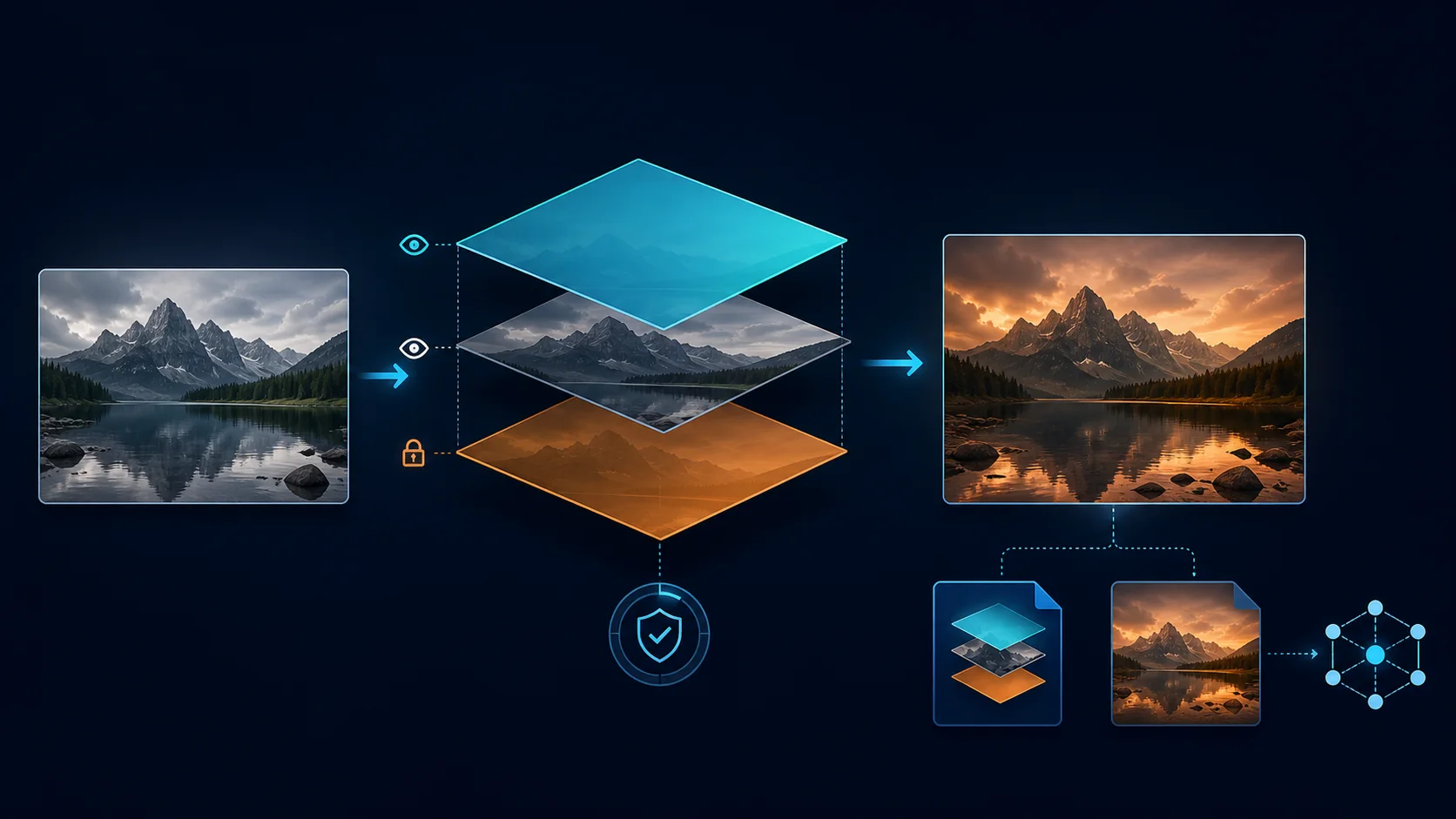
Illustrative workflow generated with OpenAI ImageGen from the retained source in docs/images/sources; it is not a GIMP screenshot or host-validation artifact.
The adapter keeps GIMP API ownership inside a persistent GIMP 3 Python plug-in. An authenticated loopback JSON-lines bridge accepts a fixed catalog of typed commands, bounds connections, requests, responses, queue depth, image size, layer traversal, paths, file size, and execution time, then marshals every host operation onto GIMP's GLib main thread. It exposes no arbitrary Python, Script-Fu, action, or PDB-procedure execution.
Part of the DCC-MCP host matrix
dcc-mcp-gimp — GIMP 3 adapter with typed image, layer, save, and production export workflows.
It is one of 47 host adapters in the DCC-MCP catalog. Every adapter speaks the same MCP protocol and builds on the same core runtime contract; each one exposes the tools its own host needs on top of that.
This block is generated from the catalog entry in dcc-mcp-catalog.yml. Re-run the generator after changing the catalog.
Install
See the canonical Install SOP v1 guide for agent-first plan, status, verification, upgrade, uninstall, receipts, exit codes, and platform troubleshooting.
pip install dcc-mcp-gimp
dcc-mcp-gimp install --yes --json --dcc-path /path/to/gimp-3.0 --python /path/to/python
dcc-mcp-gimp verify --json --dcc-path /path/to/gimp-3.0 --python /path/to/python
dcc-mcp-gimp-doctor
Set at least one allowed file root before launching GIMP and the MCP server:
export DCC_MCP_GIMP_ALLOWED_ROOTS=/absolute/project/root
dcc-mcp-gimp
On Windows, separate multiple roots with ;; on POSIX, use :. The plug-in and
client share a per-user token at ~/.dcc-mcp/gimp-bridge-token by default. An
explicit token may instead be supplied through DCC_MCP_GIMP_BRIDGE_TOKEN and
must contain at least 32 characters. Token values are never returned by status
or diagnostics.
Restart GIMP after installation. Its no-argument persistent
python-fu-dcc-mcp-gimp-bridge procedure starts automatically. Follow the
machine-executable next_steps to start the adapter with the selected Python
and verify the exact host instance. The MCP endpoint defaults to
http://127.0.0.1:8767/mcp; the plug-in bridge defaults to 127.0.0.1:3848.
Typed capabilities
- Inspect bridge readiness, open images, active image metadata, and recursive layer trees.
- Create or open bounded images under configured roots.
- Create/select/fill/rename/show/hide/lock/fade/delete layers through typed parameters.
- Preserve layered work as XCF and export PNG, JPEG, WebP, or TIFF with byte counts and SHA-256 digests.
- Export bounded PNG previews from a native duplicate with
export_preview;max_widthandmax_heightare 1–2048, preserve aspect ratio and never upscale. - Flatten only with
confirm=true; overwrite only withoverwrite=true. - Close only bridge-opened displays, and require
discard_changes=truefor dirty images.
GIMP image and layer IDs are process-local and must be rediscovered after a restart. File paths outside configured roots are rejected; paths attached to untrusted user images are redacted to a basename.
Architecture and validation
The GIMP host remains the sole owner of image state and main-thread affinity. The Python package owns MCP lifecycle, typed Skill declarations, installation, diagnostics, and the authenticated bridge client. No generic code evaluation crosses this boundary.
python -m pip install -e ".[dev]"
python -m pytest
python -m ruff check src tests tools
python tools/lint_skills.py
python -m build
python -m twine check dist/*
The real-host acceptance script is tests/live_gimp_smoke.py. It creates a
bounded layered image through the retained base image/layer workflow, saves XCF, exports PNG,
verifies both artifacts, reopens the XCF, and cleans up only bridge-owned
displays.
Official references: GIMP 3 Python plug-ins, GIMP Image API, and GIMP file save/export API.
See the typed layered workflow for the eight additional bounded tools and their native readback/color contracts. The retained base smoke does not cover all eight additions. The separate v2 current-main native acceptance gate covered these additions on Linux GIMP 3.0.4 with the pinned 0.20.41 runtime; historical release-based evidence remains separate.
Shape painting restores selection masks with feather and antialias disabled, preserves a recovery channel when restoration fails, and restores the user context on cleanup. See the separate installed-wheel and fixed-fixture native gate records for the exact code/version acceptance boundary.
The context-push failure path also removes the unused saved selection channel. If that cleanup fails, both errors remain explicit. This failure-only revision reuses the labeled v2 successful native evidence after a structural equivalence check; it does not claim a new v3 native run.
Publication review also preserves combined selection/context cleanup errors, checks the actual native text-layer pixel limit before insertion, and rejects masked layer exports before allocation. These additions have inert regression coverage; they do not claim a fresh native run of the final publication module.
Native PNG previews
export_preview(image_id, path, max_width, max_height, overwrite=false) fits the
image within an integer bounding box, with each side at most 2048 pixels. The
limiting side is exact; the other side is floored to the nearest integer, with a
minimum of one pixel. For example, 2560 × 1600 becomes 1600 × 1000 in a 1600 × 1600
box. Smaller inputs keep their dimensions. PNG is the only output format.
The source must be RGB/RGBA in GIMP's U8_NON_LINEAR precision, at most 8192
pixels per side and 16,777,216 pixels total. At most 256 layer nodes and
134,217,728 aggregate layer pixels are admitted; groups count and masks add their
layer's area. Saved channels, paths, floating selections, and nonempty drawable filters are
unsupported.
These are admission limits, not a memory quota or an HDR/indexed conversion.
The host duplicates the native image, scales that copy with GIMP's NoHalo interpolation, and exports through GIMP. It hashes every admitted native layer (including hidden layers), mask and selection in bounded strips, and checks hierarchy, editable text attributes, metadata, selected items, dirty state, and image-list order before publishing. Mask flags, blend/composite spaces and modes, image component visibility/activity, and effective ICC profile bytes are included in the read-only state fingerprint. GIMP exposes no direct image projection buffer in this API; complete composited RGBA equality is verified separately in the native fixture. Native items with more than 256 parasites are rejected before duplication. The temporary image is deleted and the pushed global context is restored before publication. A native image/context cleanup or source-state failure prevents publication. Symlink/reparse paths are rejected. An unpredictable sibling staging directory protects an existing destination on native export failure; atomic no-replace publication rejects a late collision when overwrite is false. The result includes output dimensions, byte count, SHA-256, and the measured source-state fingerprint. A later filesystem staging-cleanup error explicitly reports when the output was already published; it is not a rollback or retry-safe failure. Path protections assume a trusted isolated host and caller-controlled allowed roots; they do not claim resistance to hostile same-user filesystem mutation or a cross-user Windows ACL. Windows native behavior is not qualified by the Linux fixture. Raw native exception text is not returned. As with any after-start bridge timeout, inspect the destination and host before retrying.
The new preview contract does not change the older export_image or
export_layer export behavior. In particular, preview source-state verification
and staging are specific to export_preview.
Install Dcc Mcp Gimp in Claude Desktop, Claude Code & Cursor
unyly install dcc-mcp-gimpInstalls into Claude Desktop, Claude Code, Cursor & VS Code — handles npx, uvx and build-from-source repos for you.
First time? Get the CLI: curl -fsSL https://unyly.org/install | sh
Or configure manually
Run in your terminal:
claude mcp add dcc-mcp-gimp -- uvx dcc-mcp-gimpStep-by-step: how to install Dcc Mcp Gimp
FAQ
Is Dcc Mcp Gimp MCP free?
Yes, Dcc Mcp Gimp MCP is free — one-click install via Unyly at no cost.
Does Dcc Mcp Gimp need an API key?
No, Dcc Mcp Gimp runs without API keys or environment variables.
Is Dcc Mcp Gimp hosted or self-hosted?
Self-hosted: the server runs locally on your machine via the install command above.
How do I install Dcc Mcp Gimp in Claude Desktop, Claude Code or Cursor?
Open Dcc Mcp Gimp on unyly.org, pick your client tab (Claude Desktop, Claude Code, Cursor) and press Install — the config is generated automatically, no JSON editing.
Related MCPs
ARA
Generate images, video and audio from any AI agent — one connector.
 by ARA
Omni Video
An MCP server that transforms LLM-enabled IDEs into professional video editors by pre-processing footage into text proxies, generating motion graphics via HTML/
 by buildwithtaza
YouTube
Transcripts, channel stats, search
 by YouTube
EverArt
AI image generation using various models.
 by modelcontextprotocol
gpu-bridge/mcp-server
GPU inference API for LLMs, image and video generation, TTS, Whisper, embeddings, reranking and OCR, paid per use via x402 or an API key.
 by gpu-bridge
merterbak/Grok-MCP
Access xAI's Grok API with agentic tool calling, image generation, vision and file support.
 by merterbak
SureScaleAI/openai-gpt-image-mcp
Image generation and editing with OpenAI's GPT image models.
 by SureScaleAI
YangLiangwei/PersonalizationMCP
Aggregate personal data from Steam, YouTube, Bilibili, Spotify, Reddit and other gaming, music, video and social platforms, with OAuth2 and token management.
 by YangLiangwei
AceDataCloud/MCPFlux
Flux image generation and editing from Black Forest Labs via the Ace Data Cloud API.
 by AceDataCloud
AceDataCloud/MCPNanoBanana
Nano Banana image generation and editing, including virtual try-on and product placement in realistic scenes.
by AceDataCloudCompare Dcc Mcp Gimp with
Not sure what to pick?
Find your stack in 60 seconds
Author?
Embed badge for your README
Browse similar
All media MCPs