
Chutes Build
FreeMaintainedPrivacy-first, open-source coding agent for the Chutes ecosystem

About
Privacy-first, open-source coding agent for the Chutes ecosystem
README
Chutes Build (chutes-build)
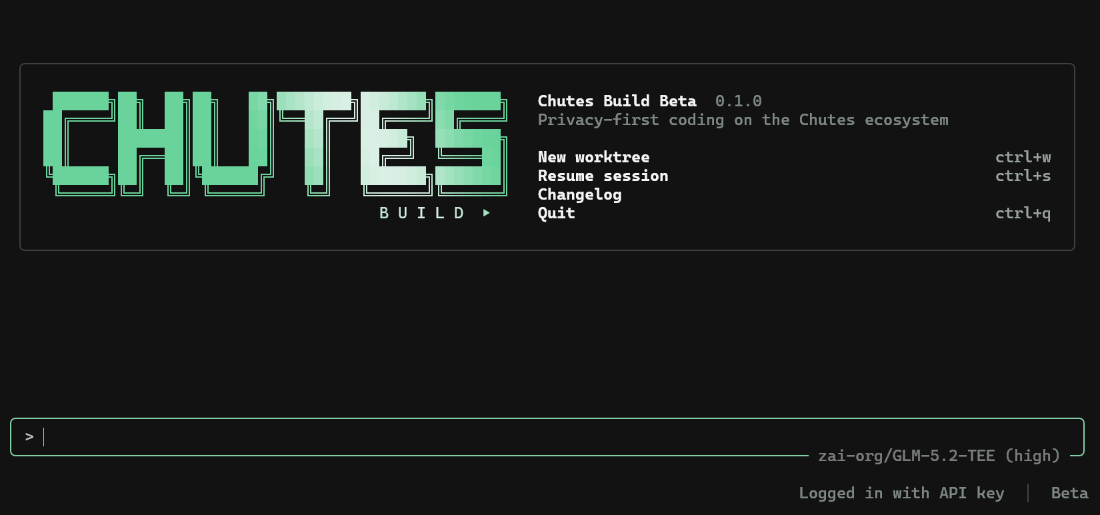
Chutes Build is a terminal-based AI coding agent for the Chutes ecosystem. It runs as a full-screen TUI that understands your codebase, edits files, executes shell commands, searches the web, and manages long-running tasks — interactively, headlessly for scripting/CI, or embedded in editors via the Agent Client Protocol (ACP).
Installing · Building from source · Documentation · Repository layout · Development · Contributing · License
What this is, and what it is built on
Chutes Build is a fork of xai-org/grok-build — SpaceXAI's Grok Build — re-based onto upstream 1.0.0 and adapted to run on Chutes. Upstream wrote most of the code in this tree and it is used here under Apache-2.0; the project is not affiliated with or endorsed by SpaceXAI.
What the fork changes:
- Chutes, not xAI. Inference goes to
llm.chutes.ai, the model catalog is Chutes', the default route is Chutes' native model routing (the saveddefaultpool, or an inline pool viaCHUTES_ROUTING_POOL), and media generation, OCR, usage and quota all go through Chutes APIs. - Nothing phones home. Telemetry, remote error reporting, upload, session sharing, remote workspace exposure and self-update are off at compile time and their endpoints are deadened, not merely unused. See PRIVACY.md.
- A few exclusive features: Chutes media generation and editing, OCR, voice input through a Chutes STT endpoint, Context7 documentation lookup, and an isolated browser tool.
Everything else is meant to track upstream closely, so their fixes arrive by
merge rather than by hand. docs/upstream-sync.md
documents that procedure and records each sync;
.github/upstream.json records the commit this tree is
level with. SOURCE_REV is inherited from upstream's published tree and refers to
their monorepo, not to anything in this repository.
Installing
Via npm, which fetches the binary for your platform:
npm i -g chutes-build
chutes-build --version
Or build from source below.
From 1.0.0 on, each release also carries the six platform executables as downloadable assets. Earlier releases (0.4.x) carry release notes only — npm is the way to install those.
There is no self-update: chutes-build never contacts an update server, and the
update subcommand reports where to get a newer version rather than fetching one.
CHANGELOG.md records what changed in each release.
Building from source
Requirements:
Rust — the toolchain is pinned by rust-toolchain.toml;
rustupinstalls it automatically on first build.DotSlash — required so hermetic tools under bin/ (notably bin/protoc) can download and run. Install it and ensure
dotslashis on yourPATHbefore building:cargo install dotslash # or: prebuilt packages — https://dotslash-cli.com/docs/installation/ /usr/bin/env dotslash --help # sanity checkprotoc — proto codegen resolves bin/protoc via DotSlash, or falls back to a
protoconPATH/$PROTOC.Windows, macOS and Linux all build. Windows is where this tree is developed and gated, and it needs the vendored
protocfallback carried here — upstream 1.0.0 does not build on Windows at all, becausebin/protocis a DotSlash wrapper the platform cannot execute from a build script.
cargo run -p chutes-build              # build + launch the TUI
cargo build -p chutes-build --release  # release binary: target/release/chutes-build
cargo check -p chutes-build            # fast validation
The binary artifact is named xai-grok-pager; official installs ship it as
chutes-build. On first launch it asks for a Chutes API key — the primary
credential, created at chutes.ai/app/api and also
readable from CHUTES_API_KEY. Browser login is opt-in and needs an OAuth app you
register yourself; see the
authentication guide.
Documentation
The documentation lives in this repository. There is no separate site: an earlier
link to docs.chutes.ai/build/overview was a 404 dressed as a promise.
The user guide ships with the pager crate: crates/codegen/xai-grok-pager/docs/user-guide/ — getting started, keyboard shortcuts, slash commands, configuration, theming, MCP servers, skills, plugins, hooks, headless mode, sandboxing, and more.
Repository layout
| Path | Contents |
|---|---|
crates/codegen/xai-grok-pager-bin |
Composition-root package chutes-build; builds the chutes-build binary |
crates/codegen/xai-grok-pager |
The TUI: scrollback, prompt, modals, rendering |
crates/codegen/xai-grok-shell |
Agent runtime + leader/stdio/headless entry points |
crates/codegen/xai-grok-tools |
Tool implementations (terminal, file edit, search, ...) |
crates/codegen/xai-grok-workspace |
Host filesystem, VCS, execution, checkpoints |
crates/codegen/... |
The rest of the CLI crate closure (config, MCP, markdown, sandbox, ...) |
crates/common/, crates/build/, prod/mc/ |
Small shared leaf crates pulled in by the closure |
third_party/ |
Vendored upstream source (Mermaid diagram stack) — see below |
[!IMPORTANT] The root
Cargo.toml(workspace members, dependency versions, lints, profiles) is generated — treat it as read-only. Prefer editing per-crateCargo.tomlfiles.
Development
cargo check -p <crate>        # always target specific crates; full-workspace builds are slow
cargo test -p xai-grok-config # per-crate tests
cargo clippy -p <crate>       # lint config: clippy.toml at the repo root
cargo fmt --all               # rustfmt.toml at the repo root
Contributing
[!NOTE] External contributions are not accepted. See CONTRIBUTING.md.
License
First-party code in this repository is licensed under the Apache License, Version 2.0 — see LICENSE.
Third-party and vendored code remains under its original licenses. See:
- THIRD-PARTY-NOTICES — crates.io / git dependencies, bundled UI themes, and in-tree source ports (including openai/codex and sst/opencode tool implementations)
- crates/codegen/xai-grok-tools/THIRD_PARTY_NOTICES.md — crate-local notice for the codex and opencode ports (license texts + Apache §4(b) change notice)
- third_party/NOTICE — vendored Mermaid-stack index
Install Chutes Build in Claude Desktop, Claude Code & Cursor
unyly install chutes-buildInstalls into Claude Desktop, Claude Code, Cursor & VS Code — handles npx, uvx and build-from-source repos for you.
First time? Get the CLI: curl -fsSL https://unyly.org/install | sh
Or configure manually
Run in your terminal:
claude mcp add chutes-build -- npx -y chutes-buildStep-by-step: how to install Chutes Build
FAQ
Is Chutes Build MCP free?
Yes, Chutes Build MCP is free — one-click install via Unyly at no cost.
Does Chutes Build need an API key?
No, Chutes Build runs without API keys or environment variables.
Is Chutes Build hosted or self-hosted?
Self-hosted: the server runs locally on your machine via the install command above.
How do I install Chutes Build in Claude Desktop, Claude Code or Cursor?
Open Chutes Build on unyly.org, pick your client tab (Claude Desktop, Claude Code, Cursor) and press Install — the config is generated automatically, no JSON editing.
Related MCPs
Fetch
Web content fetching and conversion for efficient LLM usage.
AWS KB Retrieval
Retrieval from AWS Knowledge Base using Bedrock Agent Runtime.
 by modelcontextprotocol
Spring AI MCP Server
Provides auto-configuration for setting up an MCP server in Spring Boot applications.
llm-analysis-assistant
A very streamlined mcp client that supports calling and monitoring stdio/sse/streamableHttp, and can also view request responses through the /logs page. It also
 by xuzexin-hz
MCP-Agent
A simple, composable framework to build agents using Model Context Protocol by [LastMile AI](https://www.lastmileai.dev)
 by lastmile-ai
Spring AI MCP Client
Provides auto-configuration for MCP client functionality in Spring Boot applications.
mcp.natoma.ai
A Hosted MCP Platform to discover, install, manage and deploy MCP servers by [Natoma Labs](https://www.natoma.ai)
MCPHub
Website to list high quality MCP servers and reviews by real users. Also provide online chatbot for popular LLM models with MCP server support.
MCP Servers Rating and User Reviews
Website to rate MCP servers, write authentic user reviews, and [search engine for agent & mcp](http://www.deepnlp.org/search/agent)
mkinf
An Open Source registry of hosted MCP Servers to accelerate AI agent workflows.
Compare Chutes Build with
Not sure what to pick?
Find your stack in 60 seconds
Author?
Embed badge for your README
Browse similar
All ai MCPs