
Cf Image Gen Server
FreeNot checkedGenerates images and videos from text prompts using Cloudflare Workers AI and Google Gemini models.

About
Generates images and videos from text prompts using Cloudflare Workers AI and Google Gemini models.
README
Generate images and video from text prompts using Cloudflare Workers AI (Stable Diffusion) or Google Gemini models via Cloudflare AI Gateway.
Architecture
Text Prompt → cf-image-gen MCP Server → Cloudflare AI Gateway
                                           ├── Workers AI (Stable Diffusion XL)
                                           ├── Gemini Image Models (generateContent)
                                           └── Gemini Text Models (Interactions API)
Models
Workers AI (Direct)
| Model | ID | Output |
|---|---|---|
| Stable Diffusion XL | @cf/stabilityai/stable-diffusion-xl-base-1.0 |
1024×1024 PNG |
Google Gemini (via AI Gateway)
Use google-ai-studio/{modelName} format.
Image Models (generateContent)
| Model | Format | Notes |
|---|---|---|
gemini-3.1-flash-image |
image/jpeg | No text, 1120 image tokens |
gemini-3-pro-image |
image/jpeg | +157 reasoning tokens |
gemini-2.5-flash-image |
image/png | Returns text + image |
Text Models (Interactions API)
| Model | Notes |
|---|---|
gemini-3.5-flash |
Latest text model |
Prerequisites
- Node.js 18+
- Cloudflare account with:
- Account ID
- API Token (Workers AI)
- AI Gateway ID
- AI Gateway Auth Token (for Gemini models)
- Google AI Studio API key (for Gemini models)
Environment Variables
| Variable | Required | Description |
|---|---|---|
CLOUDFLARE_ACCOUNT_ID |
✅ | Cloudflare Account ID |
CLOUDFLARE_API_TOKEN |
✅ | Cloudflare API Token |
CLOUDFLARE_GATEWAY_ID |
For Gemini | AI Gateway ID |
GOOGLE_AI_STUDIO_API_KEY |
For Gemini | Google AI Studio API Key |
CF_AIG_TOKEN |
For Gemini | AI Gateway Auth Token |
CF_IMAGE_OUTPUT_DIR |
❌ | Output directory (default: .opencode/mcp/cf-image-gen/output) |
Usage
Via MCP Tool
{
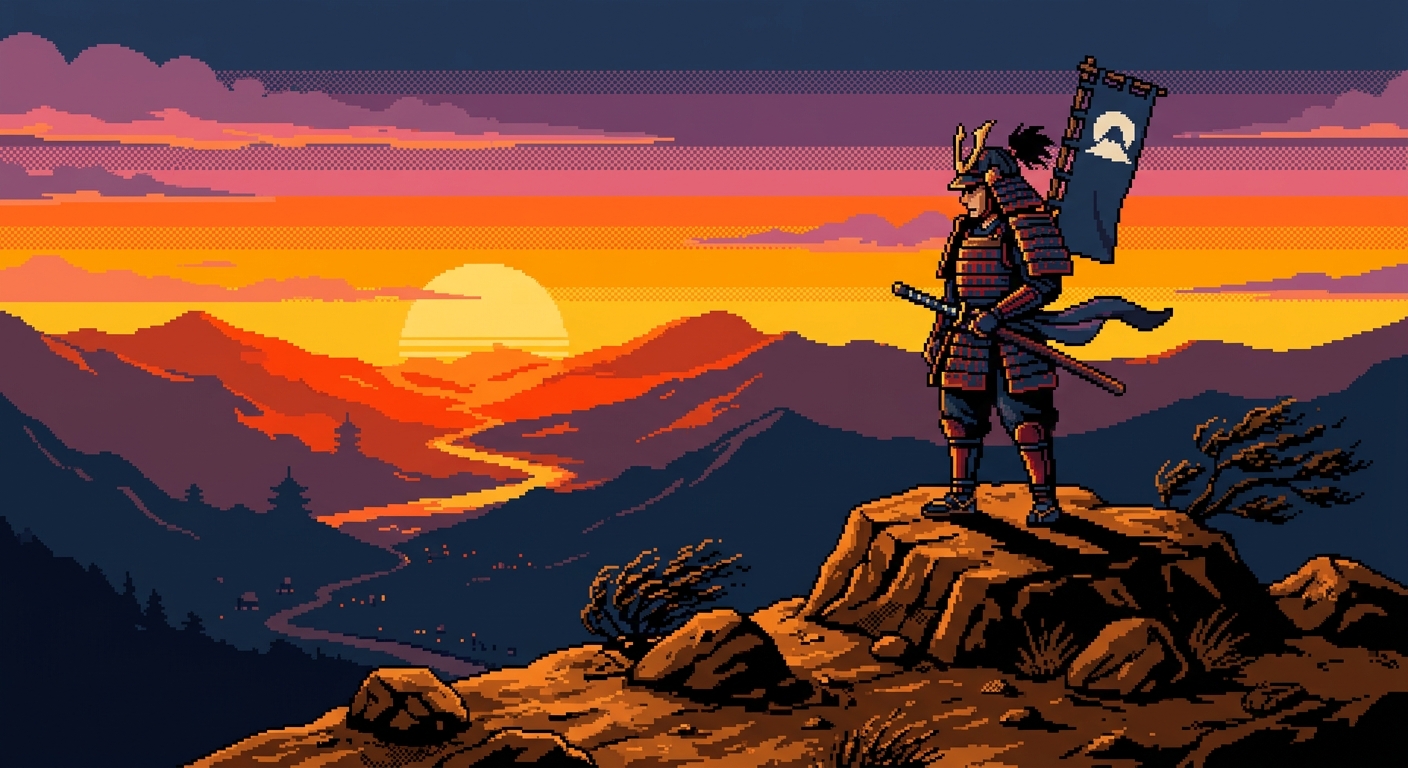
  "prompt": "a samurai warrior standing on a mountain at sunset, pixel art style, 8-bit game aesthetic",
  "model": "google-ai-studio/gemini-3.1-flash-image"
}
Or with Stable Diffusion (default):
{
  "prompt": "a red apple on white background"
}
Example Output
Gemini 3.1 Flash Image — google-ai-studio/gemini-3.1-flash-image
Prompt: "a samurai warrior standing on a mountain at sunset, pixel art style, 8-bit game aesthetic"
How It Works
- Workers AI path: Direct call to
POST /accounts/{id}/ai/run/{model}with Cloudflare API Token - AI Gateway path: Routes through
gateway.ai.cloudflare.com/v1/{account}/{gateway}/- Image-capable models →
v1beta/models/{model}:generateContentwithgenerationConfig.responseModalities: ["IMAGE"] - Text-only models (gemini-3-flash*) →
v1beta/interactionswith plain string input
- Image-capable models →
Development
# Install dependencies
cd .opencode/mcp/cf-image-gen
npm install

# Run standalone (stdio)

# Configure in opencode.jsonc as MCP server
License
MIT
Installing Cf Image Gen Server
This server has no published package — it is built from source. Open the repository and follow its README.
▸ github.com/nolandpham/cf-gen-img-mcpFAQ
Is Cf Image Gen Server MCP free?
Yes, Cf Image Gen Server MCP is free — one-click install via Unyly at no cost.
Does Cf Image Gen Server need an API key?
No, Cf Image Gen Server runs without API keys or environment variables.
Is Cf Image Gen Server hosted or self-hosted?
A hosted option is available: Unyly runs the server in the cloud, no local setup required.
How do I install Cf Image Gen Server in Claude Desktop, Claude Code or Cursor?
Open Cf Image Gen Server on unyly.org, pick your client tab (Claude Desktop, Claude Code, Cursor) and press Install — the config is generated automatically, no JSON editing.
Related MCPs
ARA
Generate images, video and audio from any AI agent — one connector.
 by ARA
Omni Video
An MCP server that transforms LLM-enabled IDEs into professional video editors by pre-processing footage into text proxies, generating motion graphics via HTML/
 by buildwithtaza
YouTube
Transcripts, channel stats, search
 by YouTube
EverArt
AI image generation using various models.
 by modelcontextprotocol
gpu-bridge/mcp-server
GPU inference API for LLMs, image and video generation, TTS, Whisper, embeddings, reranking and OCR, paid per use via x402 or an API key.
 by gpu-bridge
merterbak/Grok-MCP
Access xAI's Grok API with agentic tool calling, image generation, vision and file support.
 by merterbak
SureScaleAI/openai-gpt-image-mcp
Image generation and editing with OpenAI's GPT image models.
 by SureScaleAI
YangLiangwei/PersonalizationMCP
Aggregate personal data from Steam, YouTube, Bilibili, Spotify, Reddit and other gaming, music, video and social platforms, with OAuth2 and token management.
 by YangLiangwei
AceDataCloud/MCPFlux
Flux image generation and editing from Black Forest Labs via the Ace Data Cloud API.
 by AceDataCloud
AceDataCloud/MCPNanoBanana
Nano Banana image generation and editing, including virtual try-on and product placement in realistic scenes.
by AceDataCloudCompare Cf Image Gen Server with
Not sure what to pick?
Find your stack in 60 seconds
Author?
Embed badge for your README
Browse similar
All media MCPs