
Cashpilot
FreeNot checkedMCP Server for CashPilot — monitor passive income earnings, manage services, and control fleet workers via MCP

About
MCP Server for CashPilot — monitor passive income earnings, manage services, and control fleet workers via MCP
README
cashpilot-mcp





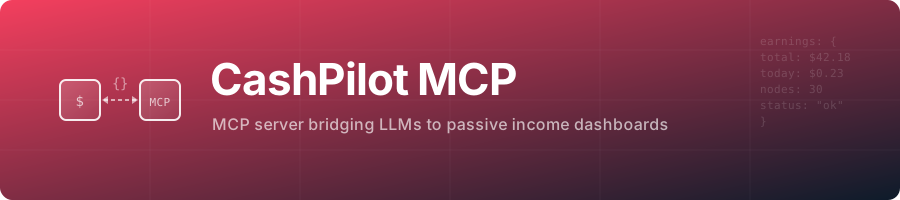
A tiny bridge that exposes any CashPilot instance as an MCP server, enabling LLMs to monitor passive income earnings, manage services, and control fleet workers.
It talks to your own CashPilot instance with its API key, over stdio or Streamable HTTP.
Speaks MCP 2026-07-28 and every earlier revision down to 2024-11-05 from the same binary: current clients that still use the initialize handshake (Claude Code, Claude Desktop, Cursor, VS Code) and 2026-07-28 clients (server/discover, stateless requests) both work.
Features
- Earnings: totals, per-service balances with cashout eligibility, daily series and history.
- Fleet: deployed services, the deployable catalog, workers, health scores and collector alerts, as tools and as
cashpilot://resources. - Service control on any worker: start, stop, restart, deploy, remove, logs, plus
trigger_collectionand a Docker Compose export per architecture. - Read-only mode:
CASHPILOT_READ_ONLY=trueregisters only the tools that change nothing. - Every tool has a title and read-only/destructive hints, list tools return structured JSON, inputs are validated.
- HTTP mode listens on
127.0.0.1:8081, checksOrigin, caps request size and requiresMCP_AUTH_TOKENon any non-loopback address.
Install
Every snippet runs the npm package over stdio. Use the admin key (CASHPILOT_ADMIN_API_KEY) for full control, or the read-only key (CASHPILOT_READONLY_API_KEY) with CASHPILOT_READ_ONLY=true. Never the fleet key.
Claude Code
claude mcp add --transport stdio --env CASHPILOT_URL=http://localhost:8080 --env CASHPILOT_API_KEY=<key> cashpilot -- npx -y cashpilot-mcp
Claude Desktop (claude_desktop_config.json) and Cursor (~/.cursor/mcp.json or .cursor/mcp.json)
{
  "mcpServers": {
    "cashpilot": {
      "command": "npx",
      "args": ["-y", "cashpilot-mcp"],
      "env": {
        "CASHPILOT_URL": "http://localhost:8080",
        "CASHPILOT_API_KEY": "<key>"
      }
    }
  }
}
VS Code (.vscode/mcp.json; the key is asked once and stored by VS Code)
{
  "inputs": [
    { "id": "cashpilot-key", "type": "promptString", "description": "CashPilot API key", "password": true }
  ],
  "servers": {
    "cashpilot": {
      "type": "stdio",
      "command": "npx",
      "args": ["-y", "cashpilot-mcp"],
      "env": { "CASHPILOT_URL": "http://localhost:8080", "CASHPILOT_API_KEY": "${input:cashpilot-key}" }
    }
  }
}
Codex (~/.codex/config.toml)
[mcp_servers.cashpilot]
command = "npx"
args = ["-y", "cashpilot-mcp"]
env = { CASHPILOT_URL = "http://localhost:8080", CASHPILOT_API_KEY = "<key>" }
Docker, the HTTP server and local builds are in Getting started; every variable is in Configuration.
Tools
| Tool | What it does | Changes the fleet |
|---|---|---|
get_earnings_summary |
Totals: today, this month, all time | no |
get_earnings_breakdown |
Balance and cashout eligibility per service | no |
get_earnings_daily |
One total per day, 1 to 365 days | no |
get_earnings_history |
Records for a week, month, year or all | no |
list_deployed_services |
What runs where, with status and resources | no |
list_available_services |
Deployable catalog with the env keys each needs | no |
get_fleet_summary |
Workers and containers, online and total | no |
list_workers |
Worker ids for worker_id |
no |
get_health_scores |
Health per service over 1 to 90 days | no |
get_collector_alerts |
Errors from the last earnings collection | no |
get_service_logs |
Latest container log lines (untrusted content) | no |
get_compose |
docker-compose.yml for amd64, arm64 or arm | no |
trigger_collection |
Collect earnings now, in the background | yes |
start_service / restart_service |
Start or restart a container | yes |
stop_service |
Stop a container; it stops earning | yes, destructive |
deploy_service |
Deploy or redeploy with env, hostname, instances | yes, destructive |
remove_service |
Remove a deployment; volumes are kept | yes, destructive |
With more than one worker online, service tools need worker_id (from list_workers). Resources and details are in Usage.
Documentation
- Getting started: Docker Compose, npm, local build
- Configuration: environment variables and MCP client configuration
- Usage: resources and tools
- Development: testing, contributing, credits
- Related projects: the family and registry listings
Related projects
CashPilot, the passive income fleet manager this server talks to.
License
Installing Cashpilot
This server has no published package — it is built from source. Open the repository and follow its README.
▸ github.com/GeiserX/cashpilot-mcpFAQ
Is Cashpilot MCP free?
Yes, Cashpilot MCP is free — one-click install via Unyly at no cost.
Does Cashpilot need an API key?
No, Cashpilot runs without API keys or environment variables.
Is Cashpilot hosted or self-hosted?
Self-hosted: the server runs locally on your machine via the install command above.
How do I install Cashpilot in Claude Desktop, Claude Code or Cursor?
Open Cashpilot on unyly.org, pick your client tab (Claude Desktop, Claude Code, Cursor) and press Install — the config is generated automatically, no JSON editing.
Related MCPs
Opencode Omniroute Plugin
OpenCode plugin for the OmniRoute AI Gateway. Drives dynamic model discovery, /connect auth flow, and multi-instance OmniRoute providers via the official @openc
 by GitHub Actions
Roblox Studio
Enables AI coding tools to control Roblox Studio for workspace exploration, instance manipulation, and script management. It provides tools for playtesting, sce
 by paralov
Antigravity Drawio
MCP server that enables AI assistants to create, parse, render, and validate Draw.io diagrams programmatically.
 by S-SUJAN-S
Fetch
Web content fetching and conversion for efficient LLM usage.
AWS KB Retrieval
Retrieval from AWS Knowledge Base using Bedrock Agent Runtime.
 by modelcontextprotocol
Spring AI MCP Server
Provides auto-configuration for setting up an MCP server in Spring Boot applications.
llm-analysis-assistant
A very streamlined mcp client that supports calling and monitoring stdio/sse/streamableHttp, and can also view request responses through the /logs page. It also
 by xuzexin-hz
MCP-Agent
A simple, composable framework to build agents using Model Context Protocol by [LastMile AI](https://www.lastmileai.dev)
 by lastmile-ai
Spring AI MCP Client
Provides auto-configuration for MCP client functionality in Spring Boot applications.
mcp.natoma.ai
A Hosted MCP Platform to discover, install, manage and deploy MCP servers by [Natoma Labs](https://www.natoma.ai)
Compare Cashpilot with
Not sure what to pick?
Find your stack in 60 seconds
Author?
Embed badge for your README
Browse similar
All ai MCPs