
Agent Accessibility Auditor Server
FreeNot checkedAudits a domain to determine if AI agents and crawlers can access and read it, returning a flat row of 42 fields covering llms.txt, robots.txt AI policy, struct

About
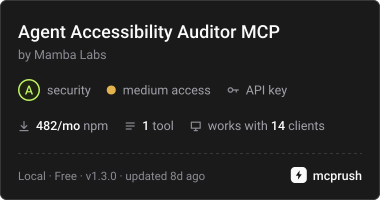
Audits a domain to determine if AI agents and crawlers can access and read it, returning a flat row of 42 fields covering llms.txt, robots.txt AI policy, structured data, render mode, and machine-readable endpoint discovery.
README
Smithery Glama score MCP Registry npm version npm downloads license mcpservers.org
MCP server for the Mamba Labs Agent Accessibility Auditor actor on Apify.
Can an AI agent read this site? Give it a domain and it returns one flat row of 42 fields covering five families of fact: the llms.txt family, robots AI crawler policy including the newer Content Signal directives, structured data presence and health, render mode, and machine readable endpoint discovery.
Install
npx -y @mambalabsdev/mcp-agent-accessibility-auditor
Claude Desktop
{
  "mcpServers": {
    "mamba-agent-accessibility-auditor": {
      "command": "npx",
      "args": ["-y", "@mambalabsdev/mcp-agent-accessibility-auditor"],
      "env": { "APIFY_TOKEN": "your-apify-token" }
    }
  }
}
Get an Apify token at console.apify.com/account/integrations.
Tool
audit_agent_accessibility
Domain in, whether an AI agent can read that site out.
| Input | Type | Required | Notes |
|---|---|---|---|
domain |
string | yes | One company domain, for example vercel.com. A full URL is accepted: the protocol and path are stripped. One domain per call. |
checks |
array | no | Run only these checks: llms_txt, robots_ai, sitemap, openapi, security_txt, feeds, json_ld, microdata, open_graph, canonical, render_mode. Omit for all of them. A check you did not run reports null, never false, and the score is rescaled over what you selected. |
check_endpoints |
boolean | no | Alias for the checks array: false removes sitemap, openapi, security_txt and feeds. Ignored when checks is set. Default true. |
check_structured_data |
boolean | no | Alias for the checks array: false removes json_ld, microdata, open_graph and canonical. Ignored when checks is set. Default true. |
skipCache |
enum | no | Leave as false to use the 7 day cache. Set to true to re-audit the domain from scratch. Default false. |
max_charge_usd |
number | no | Optional cost cap in USD for this run. The actor stops before an item that could take its charges past this amount. Omit to rely on the maximum cost per run set in Apify. |
Reading the output
Every field is a fact read off a fetch. No model is called at any point, so the same domain returns the same row today and next month unless the site actually changed.
has_llms_txt is true only when /llms.txt returns 200 and the body is real markdown, and llms_txt_reject_reason says why a 200 was not counted. Twelve requests per domain, robots.txt first and then the homepage and ten probes concurrently. Typical wall clock is 2 to 4 seconds.
Built for a technical SEO or growth engineer preparing a site for AI crawlers and agent traffic, or an agency selling that work and needing a before and after audit across a client list.
Billing
You are charged per domain analyzed, plus a small actor start fee. A repeat run inside the 7 day cache window costs nothing new.
Price per event on the Apify FREE plan, from the live pricing record; paid Apify plans pay less per event.
| Event | Price (USD) |
|---|---|
Domain analyzed (domain-analyzed) |
0.005 |
Actor Start (apify-actor-start) |
0.00005 |
Pricing is on the actor's Apify page. Running this server consumes Apify credits.
What this server does and does not do
It is a thin client for the Apify actor. It passes your input through and returns the actor's output unchanged. Every behavior described above lives in the actor, not here.
The tool starts the actor run and polls it to a finished status, so a long run is not cut off at 300 seconds. The run is allowed 1,800 seconds. If it is still going two minutes after that, the call stops waiting and returns the run ID with a link to it in the Apify Console, where the results land when it finishes. A run that does not succeed comes back as an error with its run ID and status.
Errors are surfaced, never swallowed. An invalid input, an invalid token, an exhausted balance, a timeout, or a run that returns anything other than a dataset all come back as an explicit tool error rather than as an empty result.
Source
The actor is on the Apify Store. This wrapper is MIT licensed.
Built by Mamba Labs
from github.com/mambalabsdev/mcp-agent-accessibility-auditor
Installing Agent Accessibility Auditor Server
This server has no published package — it is built from source. Open the repository and follow its README.
▸ github.com/mambalabsdev/mcp-agent-accessibility-auditorFAQ
Is Agent Accessibility Auditor Server MCP free?
Yes, Agent Accessibility Auditor Server MCP is free — one-click install via Unyly at no cost.
Does Agent Accessibility Auditor Server need an API key?
No, Agent Accessibility Auditor Server runs without API keys or environment variables.
Is Agent Accessibility Auditor Server hosted or self-hosted?
A hosted option is available: Unyly runs the server in the cloud, no local setup required.
How do I install Agent Accessibility Auditor Server in Claude Desktop, Claude Code or Cursor?
Open Agent Accessibility Auditor Server on unyly.org, pick your client tab (Claude Desktop, Claude Code, Cursor) and press Install — the config is generated automatically, no JSON editing.
Related MCPs
Opencode Omniroute Plugin
OpenCode plugin for the OmniRoute AI Gateway. Drives dynamic model discovery, /connect auth flow, and multi-instance OmniRoute providers via the official @openc
 by GitHub Actions
Roblox Studio
Enables AI coding tools to control Roblox Studio for workspace exploration, instance manipulation, and script management. It provides tools for playtesting, sce
 by paralov
Antigravity Drawio
MCP server that enables AI assistants to create, parse, render, and validate Draw.io diagrams programmatically.
 by S-SUJAN-S
Fetch
Web content fetching and conversion for efficient LLM usage.
AWS KB Retrieval
Retrieval from AWS Knowledge Base using Bedrock Agent Runtime.
 by modelcontextprotocol
Spring AI MCP Server
Provides auto-configuration for setting up an MCP server in Spring Boot applications.
llm-analysis-assistant
A very streamlined mcp client that supports calling and monitoring stdio/sse/streamableHttp, and can also view request responses through the /logs page. It also
 by xuzexin-hz
MCP-Agent
A simple, composable framework to build agents using Model Context Protocol by [LastMile AI](https://www.lastmileai.dev)
 by lastmile-ai
Spring AI MCP Client
Provides auto-configuration for MCP client functionality in Spring Boot applications.
mcp.natoma.ai
A Hosted MCP Platform to discover, install, manage and deploy MCP servers by [Natoma Labs](https://www.natoma.ai)
Compare Agent Accessibility Auditor Server with
Not sure what to pick?
Find your stack in 60 seconds
Author?
Embed badge for your README
Browse similar
All ai MCPs