
Adapter Copilot
FreeMaintainedkata adapter for GitHub Copilot CLI (.github/copilot-instructions.md, .mcp.json, .github/agents, .github/skills)

About
kata adapter for GitHub Copilot CLI (.github/copilot-instructions.md, .mcp.json, .github/agents, .github/skills)
README
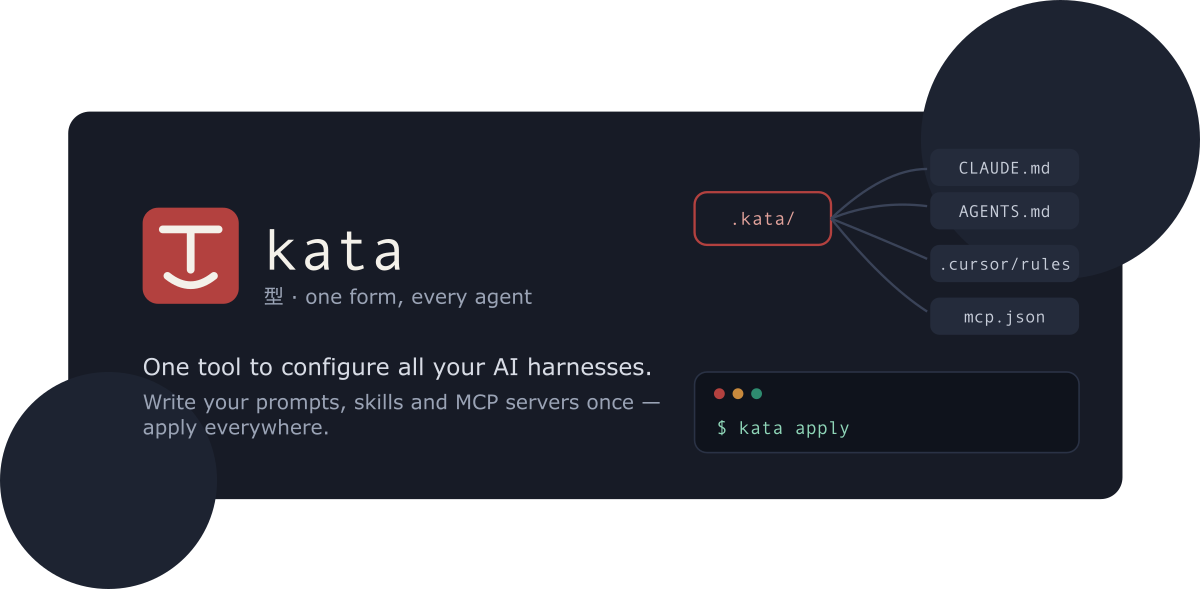
kata
One tool to configure all your AI harnesses / agents. Define it once, perform it everywhere!
kata - English /ˈkɑːtə/, Japanese 型 [ka̠ta̠] - a mold, model, or pattern: a standardized template that produces the same form every time.
Every AI coding tool wants its own config: CLAUDE.md, AGENTS.md,
.cursor/rules, .mcp.json, .codex/config.toml, and more. Keeping them in
sync by hand is tedious and error-prone.
kata lets you write instructions, MCP servers, prompts, skills, and
subagents once in a .kata/ directory, then compiles them into each tool's
native format - like Babel or Terraform, but for agent configs.
- Guide - what kata is and how to get started
- Kata format - everything
.kata/supports - CLI reference - every command and flag
- ROADMAP.md - planned work
How it works
kata initscaffolds.kata/and detects which tools are installed.- You describe your customization once, in
.kata/. kata planshows exactly which native files would be created or updated, with diffs.kata applywrites them.
Output is deterministic and idempotent: the same .kata/ always produces
byte-identical native files, so a second plan reports no changes and git
diffs stay clean. Content you hand-edit outside the <!-- kata:begin/end -->
managed regions is never touched, and JSON configs are merged rather than
overwritten.
Quick start
Install the CLI (requires Node ≥ 24):
npm install -g @katahq/cli
Or run it without installing: npx @katahq/cli <command>.
Then, in a project you want to configure:
kata init                       # scaffold .kata/, detect installed tools
$EDITOR .kata/instructions/base.md
kata plan                       # preview native files, with diffs
kata apply                      # write them
Or configure every project at once via the user-level ~/.kata/:
kata init --global
$EDITOR ~/.kata/instructions/base.md
kata apply --global             # emits ~/.claude/CLAUDE.md, ~/.codex/config.toml, ...
Commands
| Command | What it does |
|---|---|
kata init |
Scaffold .kata/ and detect installed tools |
kata add mcp|instruction|prompt|agent|skill |
Add an artifact to .kata/ |
kata plan |
Dry run: show native files to create/update, with diffs |
kata apply |
Write native config for every enabled target |
kata status |
Detect drift; exits non-zero when out of sync (CI gate) |
kata import |
Ingest existing native configs into .kata/ |
kata install |
Install a shared config package (git URL or npm:<pkg>) |
kata watch |
Re-apply whenever .kata/ changes |
kata doctor |
Check env vars, MCP commands, capability warnings |
kata targets list|enable|disable |
Manage which targets are enabled |
Every command except import also accepts -g, --global to operate on the
user-level ~/.kata/. Secrets are referenced as ${env:VAR} in .kata/ and
rendered to each tool's native expansion syntax - never inlined into a
committed file.
Targets
Adapters for Claude Code, Codex CLI, GitHub Copilot CLI, Cursor, Gemini CLI,
OpenCode, and VS Code. Each declares its capabilities and reports lossy
mappings in plan/apply output rather than dropping them silently. See the
adapter reference for the full
capability matrix. Community adapters can ship as kata-adapter-* npm packages.
Repository layout
packages/core- kata schema (zod), project loader, planner/applier, adapter interface, managed-region + JSON-merge write strategies.packages/cli- thekatacommand-line tool (built on oclif).packages/adapters/*- one adapter per target tool.packages/docs- VitePress documentation site.
Development
npm run build        # build all workspaces
npm run typecheck
npm run lint
npm test             # vitest
npm run docs:build   # build the docs site
Requires Node ≥ 24 (pinned in .node-version); uses npm workspaces.
License
MIT © Tiago Santos
Install Adapter Copilot in Claude Desktop, Claude Code & Cursor
unyly install adapter-copilotInstalls into Claude Desktop, Claude Code, Cursor & VS Code — handles npx, uvx and build-from-source repos for you.
First time? Get the CLI: curl -fsSL https://unyly.org/install | sh
Or configure manually
Run in your terminal:
claude mcp add adapter-copilot -- npx -y @katahq/adapter-copilotStep-by-step: how to install Adapter Copilot
FAQ
Is Adapter Copilot MCP free?
Yes, Adapter Copilot MCP is free — one-click install via Unyly at no cost.
Does Adapter Copilot need an API key?
No, Adapter Copilot runs without API keys or environment variables.
Is Adapter Copilot hosted or self-hosted?
Self-hosted: the server runs locally on your machine via the install command above.
How do I install Adapter Copilot in Claude Desktop, Claude Code or Cursor?
Open Adapter Copilot on unyly.org, pick your client tab (Claude Desktop, Claude Code, Cursor) and press Install — the config is generated automatically, no JSON editing.
Changes
Versions and requested access over time.
- New version published
- New version published
- New version published
- New version published
- New version published
- New version published
- New version published
- New version published
Related MCPs
GitHub
PRs, issues, code search, CI status
 by GitHub
Filesystem
Secure file operations with configurable access controls.
Memory
Knowledge graph-based persistent memory system.

Unyly Deploy
Deploy sites and MCP servers to Unyly straight from your AI agent
 by Unyly
Amap Maps Mcp Server
MCP server for using the AMap Maps API
 by duxiaohui
PayMCP
Lightweight payments layer for MCP servers: turn tools into paid endpoints with a two-line decorator. [PyPI](https://pypi.org/project/paymcp/) · [npm](https://w
 by blustAI
Server For Power BI
Enables exploring Microsoft Fabric / Power BI workspaces and semantic models, and executing ad-hoc DAX queries.
 by Mitsubishi-Fuso
Template MCP Server
A CLI tool to create a new Model Context Protocol server project with TypeScript support, dual transport options, and an extensible structure
 by mcpdotdirect
Supabase
Database, auth and storage
 by Supabase
Everything
Reference / test server with prompts, resources, and tools.
Compare Adapter Copilot with
Not sure what to pick?
Find your stack in 60 seconds
Author?
Embed badge for your README
Browse similar
All development MCPs