
Sql Cortex
FreeNot checkedMCP server that gives AI agents (Claude, OpenAI, Gemini, etc.) direct access to SQL databases — with policy enforcement, schema tools, and an admin UI.

About
MCP server that gives AI agents (Claude, OpenAI, Gemini, etc.) direct access to SQL databases — with policy enforcement, schema tools, and an admin UI.
README

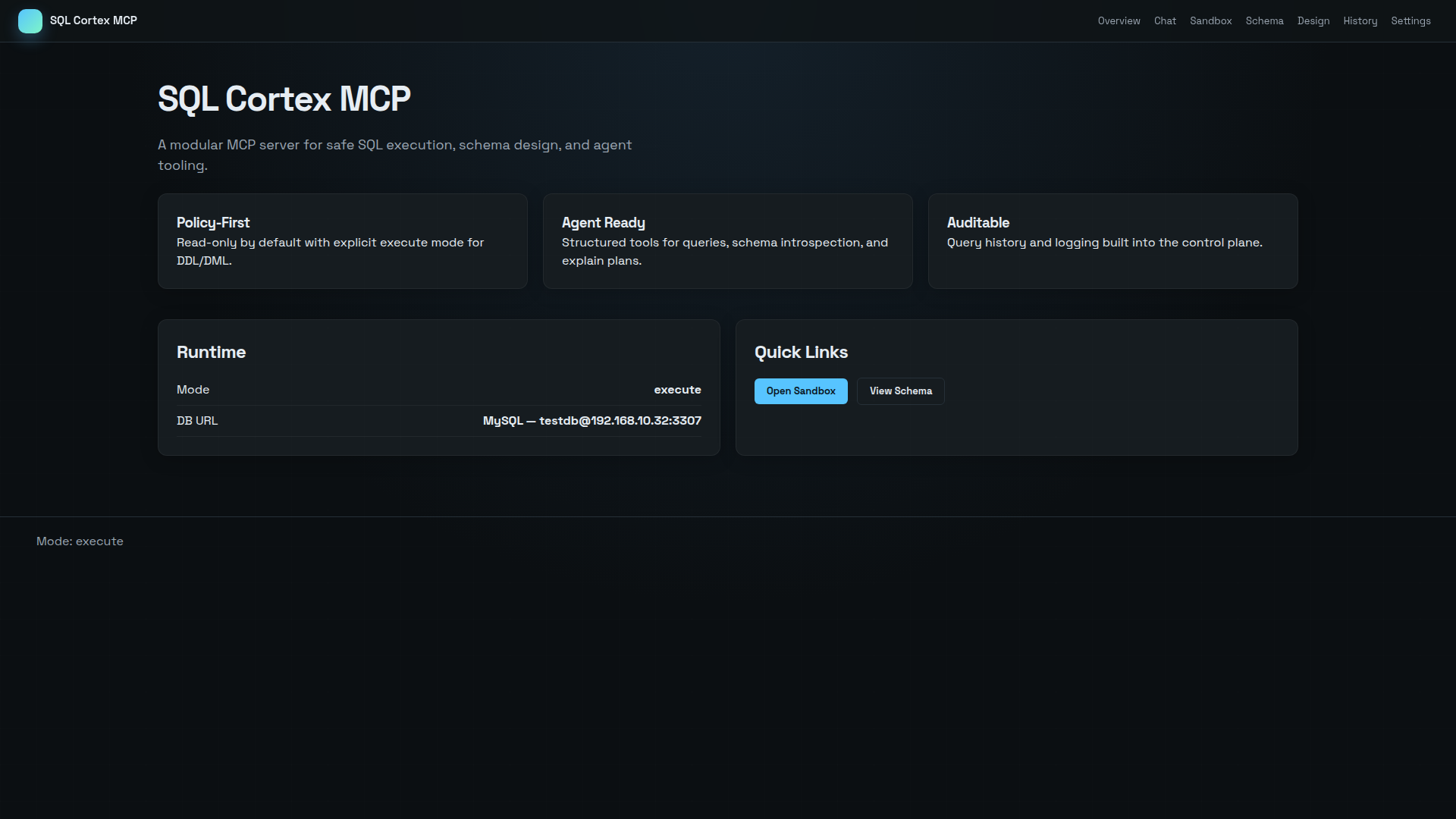
SQL Cortex MCP
MCP server that gives AI agents (Claude, OpenAI, Gemini, etc.) direct access to SQL databases — with policy enforcement, schema tools, and an admin UI.



What is this?
SQL Cortex MCP is a Model Context Protocol server that exposes SQL databases as tools for AI agents. It sits between your LLM and your database, providing:
- 11 MCP tools — query, schema introspection, explain plans, migrations, multi-DB switching
- Multi-database — manage multiple connections, per-session switching via
db.list/db.use - Policy enforcement — read-only mode, query allowlists, row limits, timeouts
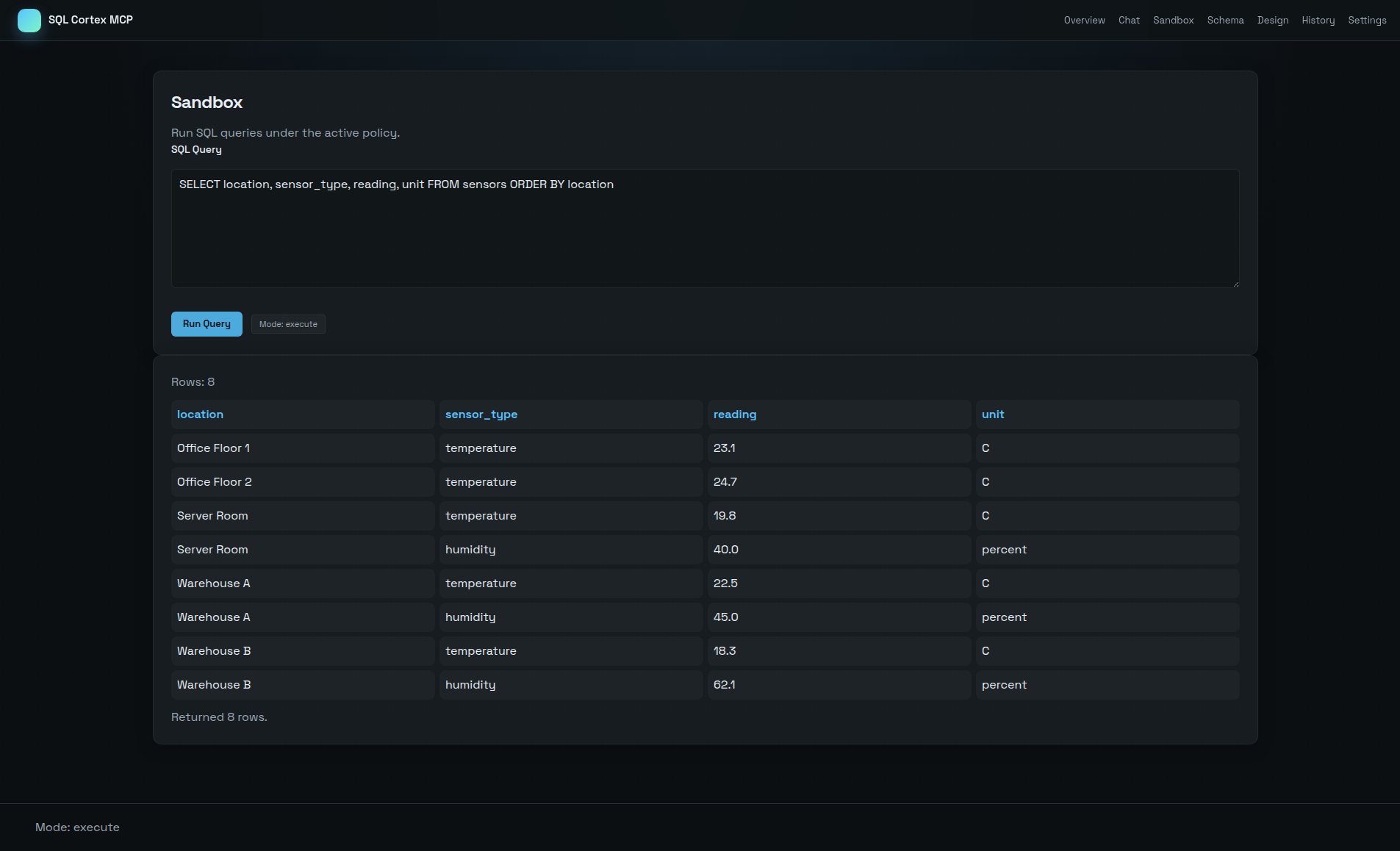
- Admin UI — web dashboard with query sandbox, schema browser, chat assistant, settings
- Multi-provider LLM — OpenAI, Anthropic, DeepSeek, Ollama, Gemini, Groq, Mistral
- Persistent settings — encrypted API keys, runtime config changes survive restarts
Quick Start
Docker (recommended)
git clone https://github.com/loglux/sql-cortex-mcp.git
cd sql-cortex-mcp
docker compose up -d
Open http://localhost:8123 for the admin UI.
Local
git clone https://github.com/loglux/sql-cortex-mcp.git
cd sql-cortex-mcp
python3 -m venv .venv
source .venv/bin/activate
pip install -r requirements.txt
uvicorn app.main:app --host 0.0.0.0 --port 8000 --reload
Connect your AI agent
Point any MCP-compatible client at the server:
MCP endpoint:  http://localhost:8123/mcp
Protocol:      HTTP + JSON-RPC
SSE endpoint:  http://localhost:8123/mcp (GET for Server-Sent Events)
MCP Tools
| Tool | Description |
|---|---|
sql.query |
Execute read-only SQL queries (SELECT, WITH, EXPLAIN, SHOW, DESCRIBE) |
sql.schema |
Introspect tables, columns, types, and indexes |
sql.explain |
Get EXPLAIN plan for a query |
db.list |
List registered database connections (name, type, host, mode) |
db.use |
Switch active database for this MCP session |
db.design |
Generate a desired schema template |
db.schema.diff |
Compare desired schema against current database |
db.migrate.plan |
Generate migration SQL from a schema diff |
db.apply |
Execute a single mutating statement (INSERT, UPDATE, DELETE, DDL) |
db.migrate |
Apply a batch of SQL statements |
db.migrate.plan_apply |
Plan and apply migration in one call |
MCP Resources
| Resource | Description |
|---|---|
resource://schema |
Current database schema (tables, columns, indexes, foreign keys) |
resource://config |
Non-secret runtime configuration summary |
MCP Prompts
| Prompt | Description |
|---|---|
sql.assistant.role |
System prompt with rules for correct tool usage, dialect detection, and schema discovery |
sql.query.plan |
Generate a safe SQL query plan from a natural language question |
db.design.schema |
Propose a SQL schema from a domain description |
Note: ChatGPT's MCP connector supports only tools, not prompts or resources. If you use ChatGPT, paste the following into your Custom Instructions:
Recommended system prompt for ChatGPT
You are a database assistant connected to a live SQL database via MCP
(Model Context Protocol).

Rules:
1. ALWAYS call sql.schema first at the start of each conversation to get
   the current schema. Never assume or cache table names from previous messages.
2. Read the sql.query tool description — it tells you the database engine
   (SQLite, MySQL, PostgreSQL). Use the correct SQL dialect.
3. For read queries use sql.query. For writes use db.apply. Never mix them.
4. If a query fails with a syntax error, check the dialect and retry
   with correct syntax.
5. Prefer sql.schema over SHOW TABLES / information_schema for discovering tables.
6. When presenting results, format them as clean tables. Keep explanations concise.
Admin UI
The built-in web UI provides:
- Dashboard — server status, quick actions
- Query — SQL sandbox with syntax highlighting and result tables
- Schema — browse tables, columns, indexes
- Chat — natural language to SQL via LLM (multiple sessions, persistent history, per-session DB binding)
- Logs — query audit trail
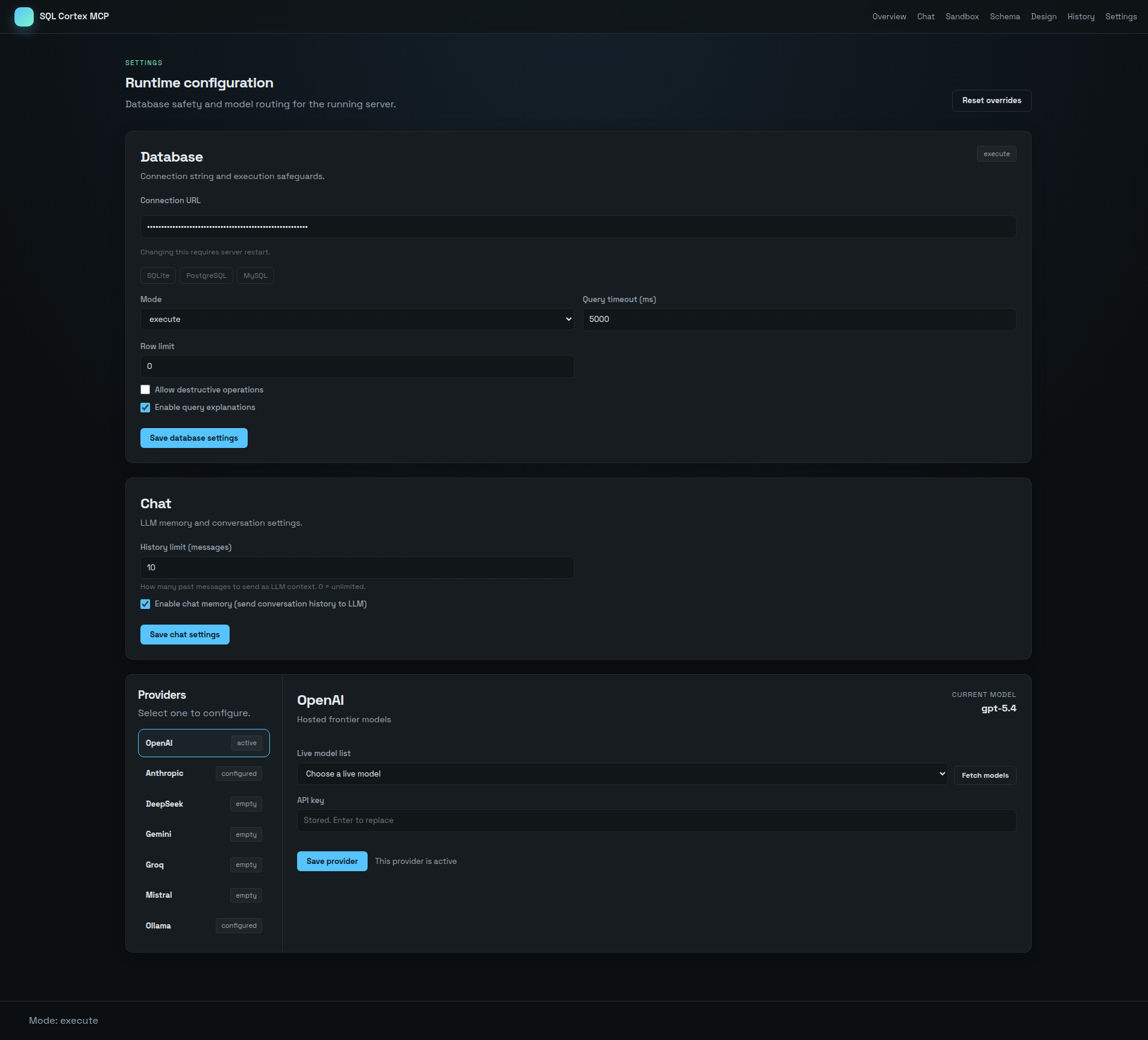
- Settings — manage multiple DB connections, LLM providers, runtime parameters
| Sandbox | Settings |
|---|---|
 |
 |
Configuration
Environment variables
| Variable | Default | Description |
|---|---|---|
DB_URL |
sqlite:///./data/dev.db |
SQLAlchemy connection URL |
MODE |
read-only |
read-only or execute |
LIMIT_DEFAULT |
100 |
Max rows per query (0 = unlimited) |
TIMEOUT_MS |
5000 |
Query timeout in milliseconds |
ENABLE_UI |
true |
Enable the admin web UI |
ENABLE_EXPLANATIONS |
true |
Include query explanations in results |
ALLOWED_ORIGINS |
localhost |
CORS origins (comma-separated) |
ALLOW_DESTRUCTIVE |
false |
Allow DROP/destructive operations |
LLM_PROVIDER |
openai |
LLM provider name |
LLM_API_KEY |
— | API key for the LLM provider |
LLM_MODEL |
gpt-5.4-mini |
Model name |
LLM_BASE_URL |
— | Custom base URL for the provider |
LLM_TIMEOUT_MS |
60000 |
LLM request timeout in milliseconds |
Settings changed via the admin UI override environment variables at runtime and persist across restarts.
Supported LLM providers
| Provider | Base URL | Example models |
|---|---|---|
openai |
api.openai.com |
gpt-5.4-mini, gpt-5.4, o4-mini, o3 |
anthropic |
api.anthropic.com |
claude-sonnet-4-6, claude-opus-4-6 |
deepseek |
api.deepseek.com |
deepseek-chat, deepseek-reasoner |
ollama |
localhost:11434 |
llama3.3, qwen2.5-coder, phi4 |
gemini |
generativelanguage.googleapis.com |
gemini-2.5-pro, gemini-2.5-flash |
groq |
api.groq.com |
llama-3.3-70b-versatile |
mistral |
api.mistral.ai |
mistral-large-latest |
Supported databases
- SQLite — built-in, no extra dependencies
- MySQL — via
pymysql(included in requirements) - PostgreSQL — via
psycopg2(included in requirements)
Development
source .venv/bin/activate
pip install -r requirements.txt -r requirements-dev.txt

# Lint
ruff check .

# Format
black --check .

# Test
pytest

# Test with coverage
pytest --cov=app --cov-report=term-missing
Project Structure
app/
  main.py            — FastAPI app, MCP JSON-RPC router
  config.py          — Config from env vars + settings DB
  settings_db.py     — SQLite persistence (providers, settings, chat)
  session_db.py      — Per-session DB switching (db.list/db.use)
  mcp/               — MCP protocol: tools, resources, prompts
  sql/               — SQL executor, policy engine, schema introspection
  llm/               — LLM providers (OpenAI-compat, Anthropic, Ollama)
  assistant/         — Chat assistant service
  web/               — Admin UI (FastAPI + Jinja2 + HTMX)
tests/               — pytest test suite
License
MIT
Installing Sql Cortex
This server has no published package — it is built from source. Open the repository and follow its README.
▸ github.com/loglux/sql-cortex-mcpFAQ
Is Sql Cortex MCP free?
Yes, Sql Cortex MCP is free — one-click install via Unyly at no cost.
Does Sql Cortex need an API key?
No, Sql Cortex runs without API keys or environment variables.
Is Sql Cortex hosted or self-hosted?
Self-hosted: the server runs locally on your machine via the install command above.
How do I install Sql Cortex in Claude Desktop, Claude Code or Cursor?
Open Sql Cortex on unyly.org, pick your client tab (Claude Desktop, Claude Code, Cursor) and press Install — the config is generated automatically, no JSON editing.
Related MCPs
Postgres
Query your database in natural language
 by Anthropic
wenb1n-dev/SmartDB_MCP
Connect to multiple databases at once (MySQL, PostgreSQL, SQL Server, MariaDB, Dameng, Oracle) for operations, health analysis and SQL optimization.
 by wenb1n-dev
Postgres Server
This server enables interaction with PostgreSQL databases through the Model Context Protocol, optimized for the AWS Bedrock AgentCore Runtime. It provides tools
 by madhurprash
PostgreSQL
Read-only database access with schema inspection.
by modelcontextprotocolRedis
Interact with Redis key-value stores.
by modelcontextprotocolSQLite
Database interaction and business intelligence capabilities.
by modelcontextprotocolmxcp
Open-source framework for building enterprise-grade MCP servers using just YAML, SQL, and Python, with built-in auth, monitoring, ETL and policy enforcement.
 by raw-labs
julien040/anyquery
Query apps with SQL from a single local-first binary; also connects to PostgreSQL, MySQL and SQLite-compatible databases.
 by julien040